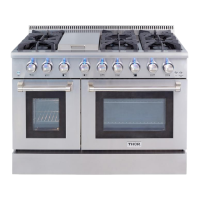
Need help?
Do you have a question about the THOR TRG Series and is the answer not in the manual?
Step-by-step instructions for actions to take when gas is detected.
Emphasizes reviewing safety guidelines and removing packaging before first use.
Explains the meaning of various safety symbols used throughout the manual.
Details risks associated with electrical shock and proper grounding procedures.
Addresses the risk of the range tipping and how to prevent it with anti-tip devices.
Outlines hazards related to gas leaks and improper handling of fires.
Covers risks of fire due to flammable materials, unattended operation, and improper cleaning.
Warns about carbon monoxide poisoning from blocked airflow and fumes from cleaners.
Alerts users to hot parts of the appliance and precautions for handling.
Provides additional safety advice for installation, operation, and general use.
Safety precautions specifically for operating the self-cleaning function of the oven.
Prepares the oven and kitchen environment for the self-cleaning operation.
Specifies the necessary gas pressure and safety tips for gas operation.
Details required clearances for installation and cabinet specifications.
Guides the user through securing the range to the wall using the anti-tip bracket.
Outlines the electrical specifications and grounding needs for the appliance.
Instructions for attaching the oven control knobs to the appliance.
Steps for installing the oven door handle, potentially from a KD kit.
Instructions for attaching protective pads to the back of the range.
Details the importance and procedure for grounding the appliance for safety.
Provides instructions for connecting the appliance to the gas supply line.
Initial setup and preparation steps before operating the appliance.
Initial heating process to burn off residues and prepare the oven for use.
Essential safety practices for using the cooktop burners and controls.
Explains how to ignite the top burners and adjust heat settings.
Discusses using low and high flame settings for different cooking needs.
Guidance on adjusting burner flame size relative to cookware for efficiency and safety.
Instructions for operating the cooktop during a power outage.
Overview of the oven's control panel buttons and their functions.
Comprehensive guide to using the oven's various cooking functions.
How to set the oven's clock for proper timing of functions.
Instructions for using the auxiliary kitchen timer feature.
Method to lock control panel buttons to prevent accidental activation.
How to set the oven for automatic timed cooking cycles.
Instructions for scheduling the oven to start cooking at a later time.
How to operate the internal oven light manually.
Details the range of settings for various oven features.
Guidance on selecting appropriate rack positions for different cooking tasks.
Best practices for positioning racks and pans for optimal baking results.
Steps for safely removing oven racks from the appliance.
Instructions for reinserting oven racks correctly.
How to use the standard baking functions for cakes and cookies.
Guide to using the convection fan for more even cooking and browning.
Advice for optimizing convection baking, including pan types and rack positions.
Instructions for using convection for roasting meats and poultry.
How to use the broil function for cooking meats, fish, and poultry.
How to use the feature to maintain food temperature after cooking.
Instructions for operating the oven in Sabbath mode for religious observances.
How to calibrate the oven temperature if it deviates from the set point.
How to switch the temperature display between Fahrenheit and Celsius.
How to change the clock display between 12-hour and 24-hour formats.
How to enable or disable audible beeps from the control panel.
How to activate and deactivate the child lock feature for the control panel.
Explains the self-cleaning process and safety precautions.
Steps to prepare the oven and kitchen before running the self-cleaning cycle.
Detailed steps for initiating and running the self-cleaning operation.
Instructions for scheduling the self-cleaning cycle to begin at a later time.
Steps to stop or interrupt an ongoing self-cleaning cycle.
What to expect and do after the self-cleaning cycle has completed.
Information about the oven vent's location, function, and importance of not blocking it.
How to clean exterior painted surfaces and trim.
Methods for cleaning and polishing stainless steel components.
Cleaning instructions for oven racks, including post-self-clean treatment.
How to clean the oven door glass and frame, with specific notes on the gasket.
Steps for removing and cleaning cooktop burner components.
Methods for cleaning oven shelves, including stubborn stains.
How to clean the accessory broil/roast pan.
Note that these parts self-clean during normal use.
How to clean the oven's interior porcelain enamel surfaces.
Instructions for cleaning the oven door's glass window.
Specific guidance on cleaning the oven door gasket without damage.
Solutions for common problems encountered with the cooktop burners.
Solutions for common issues related to the oven's operation and features.
Lists error codes and their corresponding error descriptions for diagnostics.
Step-by-step guide on how to safely remove the oven door.
Instructions for correctly reattaching the oven door after removal.
Guide on how to take out and put back the appliance's storage drawer.
Steps for replacing a burnt-out oven light bulb.
Instructions and diagrams for replacing cooktop burner components.
Outlines the duration and terms of the product's limited warranty.
Information on registering the product and obtaining warranty service.

 To Next Page
 General