–4–
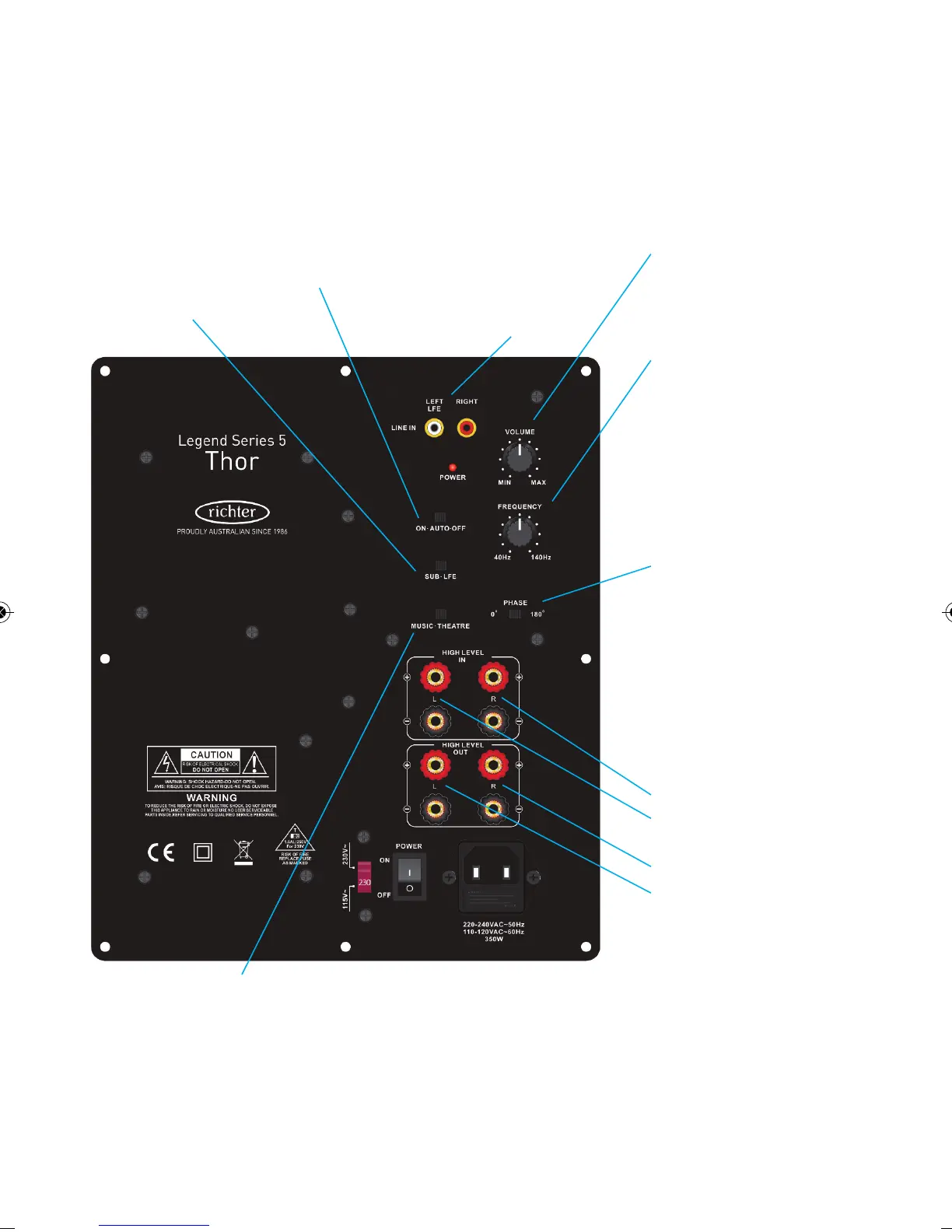
Speaker Level connection
Front right channel from amp
Front left channel from amp
[Optional]
To Right speaker
To Left speaker
DO NOT use in addition to
Line Level inputs
Music/Theatre switch
Changes low frequency
response rolloff to better
suit music or movies.
S
ub/LFE switch
Switch to SUB if
u
sing Pre-Out or
Speaker Level
Connections. Use
L
FE for a single
Subwoofer Out line
level connection.
On/Auto/Off
Auto setting turns
subwoofer on and off
a
ccording to signal
f
rom your amplifier.
Main power switch
must be ‘On’.
Volume
Adjusts the volume
of the subwoofer
Frequency
Adjusts the subwoofer’s
upper frequency cut-off
point so it best blends
with main speakers
Phase switch
Reverses the subwoofer’s
phase – if the sound is
‘hollow’, try the opposite
setting.
L
ine Level inputs
Connect ‘Subwoofer out’
R
CA jack to EITHER left
or right inputs. Set
S
UB/LFE switch to LFE.
OR connect ‘Pre-out’
jacks left-left and right-
r
ight. Set SUB/LFE switch
to SUB.
DO NOT use in addition
to Speaker Level
connections.
Thor Series V Rear panel controls



 To Next Page