Rev B Dec 2019
Page 5
Chapter 3 Operation
Using APT Software
1) Install the electronic hardware and connect the modules to the relevant axes of the associated stages (see the handbooks
for the associated controller).
2) For each Stepper Motor Controller in your system, fit the interlock plug (supplied) to the MOTOR CONTROL connector on
the rear panel.
3) Shut down all applications using the APT server (e.g. APT User or your own custom application).
4) Run the APT Config utility - Start/All Programs/Thorlabs/APT Config/APT Config.
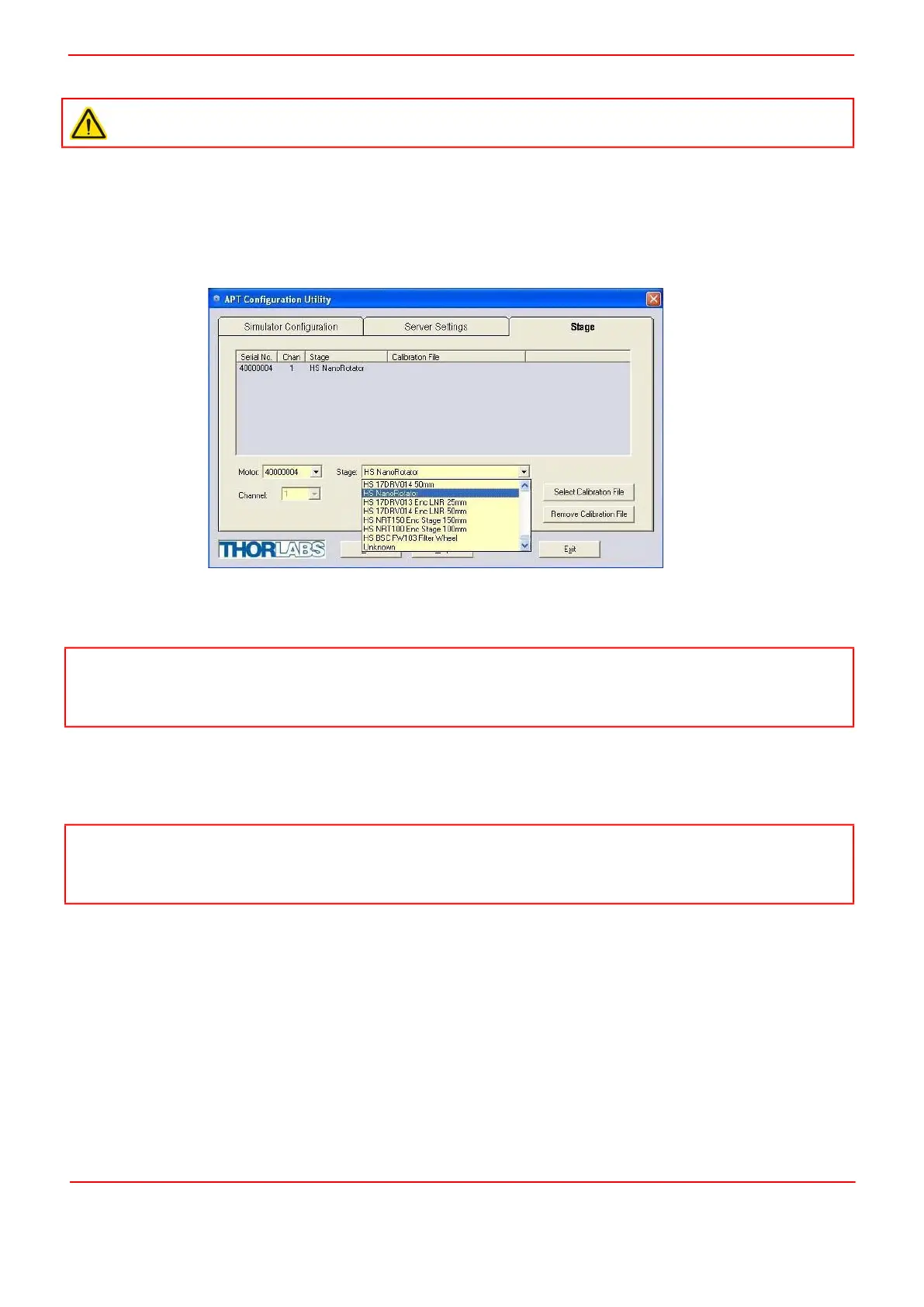
5) From the 'APT Configuration Utility' window, click the 'Stage' tab.
Fig. 3.2 APT Configuration Utility - Stage Tab
6) In the ‘Motor’ field, select the serial number of the stepper motor controller to be configured (this number can be found on
the rear panel of the controller unit).
7) In the ‘Stage’ field, select ‘HS NanoRotator’ from the list displayed.
8) Click the 'Add Stage Association' button.
9) A default configuration is set at the factory and stored in the non-volatile memory of the motor controller. The server reads
in the stage and controller information on start up. Refer to the handbook for the associated controller for more information
on driving the actuator/stage.
Caution
The host PC must be running APT v3.21.3 or higher.
Note
To ensure correct operation, it is important to select the correct stage and axis type as described previously. Selecting an
incompatible stage/axis type could result in reduced velocity and resolution. The HDR50 is a direct replacement for our
legacy NanoRotator stage and has identical operating parameters.
Note
In applications where continuous rotation is necessary for prolonged periods, it is possible that the position register inside
the controller could overflow. In this case, the stage will continue to operate, but the position readout is no longer accurate.
Homing the stage will restore the positional accuracy.


 To Next Page