Chapter 4 PC Operation - Tutorial
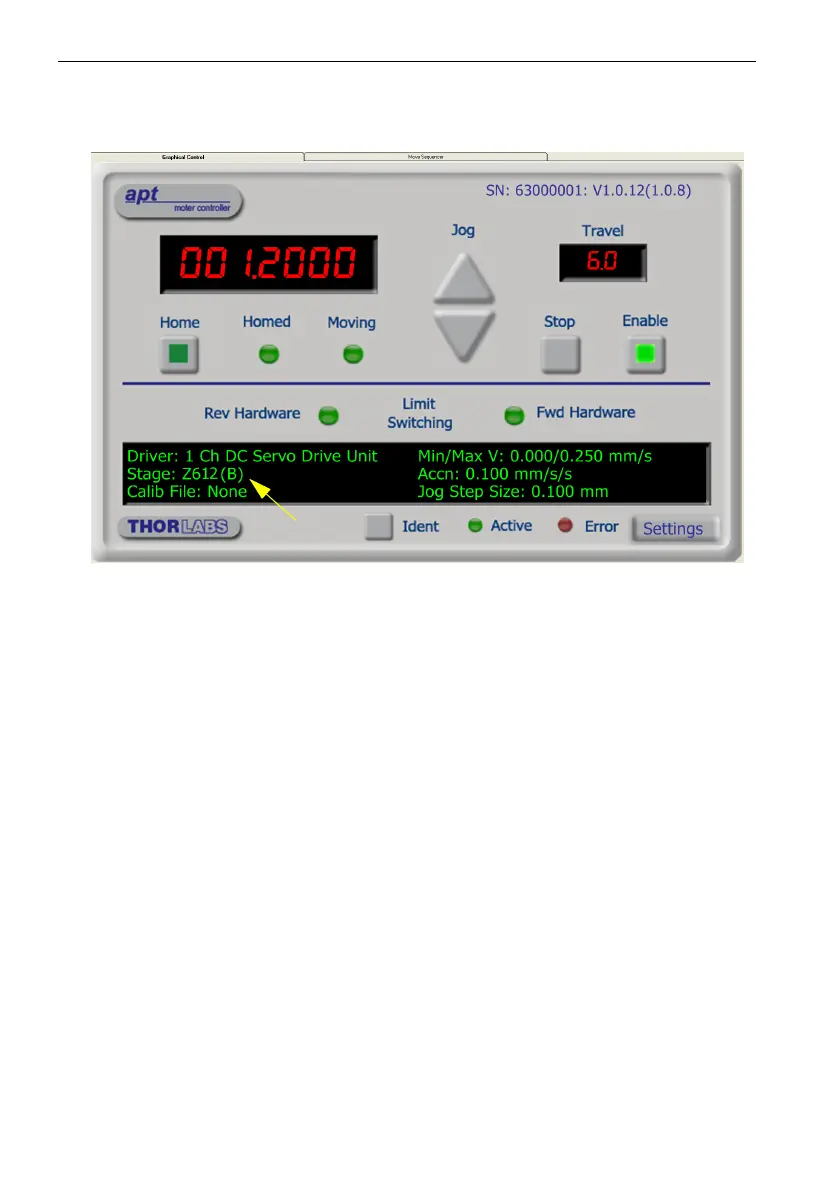
2) Notice how the Z612(B) actuator type, selected in Section 4.2. is displayed in the
‘Settings’ window. See Section 4.11. and Section 5.3. for further details on the
parameter values shown in the ‘Settings’ display.
Fig. 4.3 OptoDCDriver Software GUI
The APT User utility will be used throughout the rest of this tutorial to interface with
the DC servo motor controller.


 To Next Page