Chapter 4 PC Operation - Tutorial
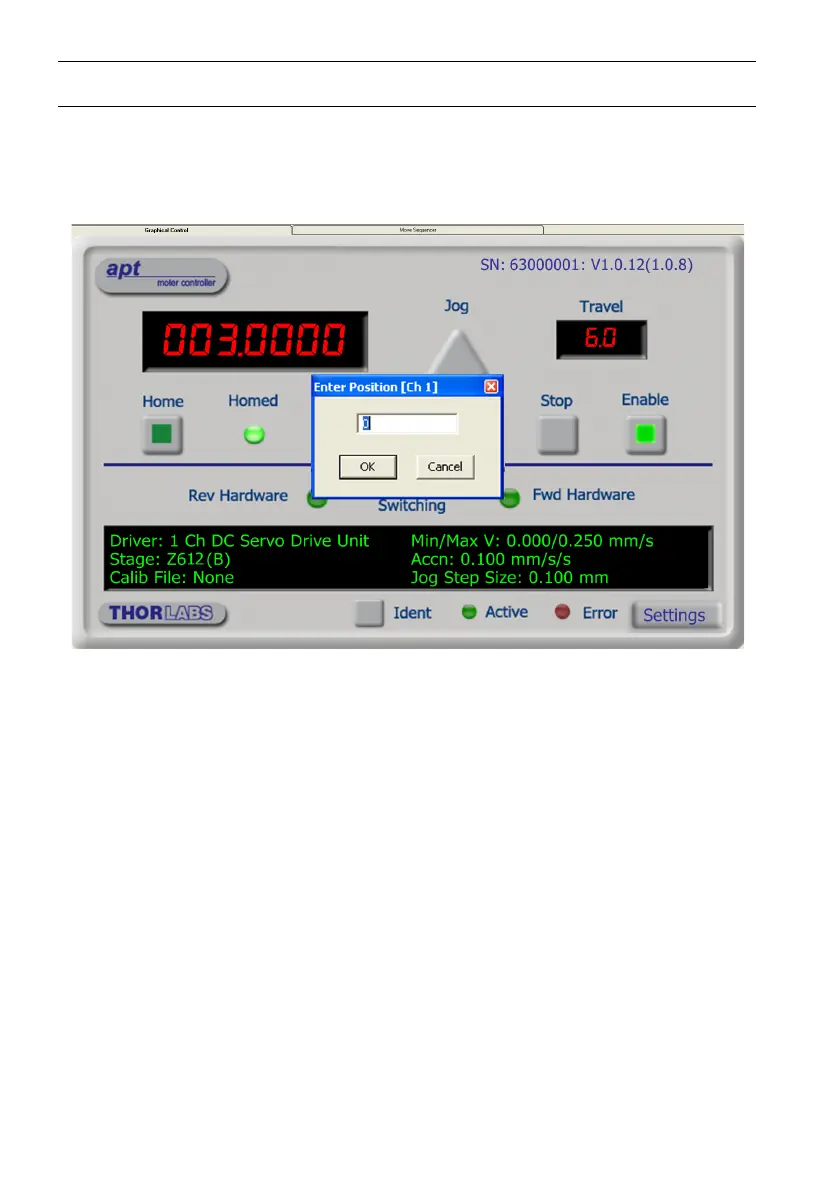
4.5 Moving to an Absolute Position
Absolute moves are measured in real world units (e.g. millimetres), relative to the
Home position.
1) Click the position display.
Fig. 4.5 Absolute Position Popup Window
2) Enter 3.0 into the pop up window
3) Click ‘OK’. Notice that the position display counts up to 003.000 to indicate a move
to the absolute position 3.00mm.


 To Next Page