Need help?
Do you have a question about the Thrane&Thrane Sailor CU5100 MF and is the answer not in the manual?
Explains the manual's purpose and scope for the daily user.
States Thrane & Thrane's liability and information disclaimer.
Outlines steps for initiating a Mayday call and responding to distress alerts.
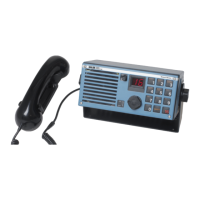
Identifies and describes the main components of the CU5100 unit.
Explains how MF/HF radio waves travel and factors affecting propagation.
Details emission mode, frequencies, and usage for telephony transmissions.
Describes Marine Telex (NBDP), its range, and frequencies.
Explains the DSC system and its frequencies for distress and safety.
Instructions for turning the unit on/off and adjusting speaker volume.
Controls for the loudspeaker and receiver squelch.
Settings for output power and display brightness.
How to toggle between different operation modes.
Guides on navigating menus using soft keys and keypad.
Steps to initiate a call to a coast station.
Explains the information displayed during telephony operation.
How to use the handset for transmission and reception.
How to listen to traffic lists broadcast by coast stations.
Procedure to input and set receive and transmit frequencies.
Fine-tuning the received frequency using controls.
Procedures for selecting, storing, and deleting channels.
Replacing existing channels and selecting from station tables.
Procedure for re-tuning the antenna tuner.
Overview of DSC call types: DSC CALL, DSC LOG, DSC ADDRESS BOOK.
Configuration options for the DSC system, including position and time.
Settings for auto answer back and auto position transmit.
Alerts for incoming distress calls and how to acknowledge them.
Procedure for acknowledging and answering individual DSC calls.
Information on automatic connections from public telephone networks.
Procedure for testing the DSC system on distress and safety frequencies.
Steps to call coast stations, ships, and send area calls.
Repeating calls and overview of the DSC call menu structure.
Configuration options for the DSC system.
Settings related to audio reception, volume, and general options.
Configuration for the watch keeping receiver.
Enabling and configuring the Telex option using a pin-code.
Basic procedures for using the telex system, including keyboard functions.
Procedures for switching the telex function on and off.
Procedures for transmitting, editing, and receiving telex messages.
Examples of FEC and ARQ message transmissions.
Using telex with external data terminals and software.
Details different scanning modes: Telephony, Multi, Dual, and DSC watch.
Configuration for enabling/disabling specific frequencies for the watch receiver.
Specifies safe distances from compasses for various units.
Provides physical dimensions and weight of the handset.
Illustrates tilting options and drilling plan for mounting the control unit.
Identifies the different connectors on the control unit.
 General
| Operating Temperature | -15°C to +55°C |
|---|---|
| Humidity | Up to 95% non-condensing |
| Manufacturer | Thrane & Thrane |
| Model | Sailor CU5100 |
| Network | Inmarsat |
| Interface | RS-232 |
| Storage Temperature | -30°C to +70°C |

 To Next Page