Update : February 2024
1) Make sure that you have installed the latest "Package drivers - Hotas
Warthog" driver on your PC
If necessary, you will find the driver for your device on our website, in the Drivers
section:
https://support.thrustmaster.com/product/hotaswarthogflightstick/
Restart your computer to complete the update.
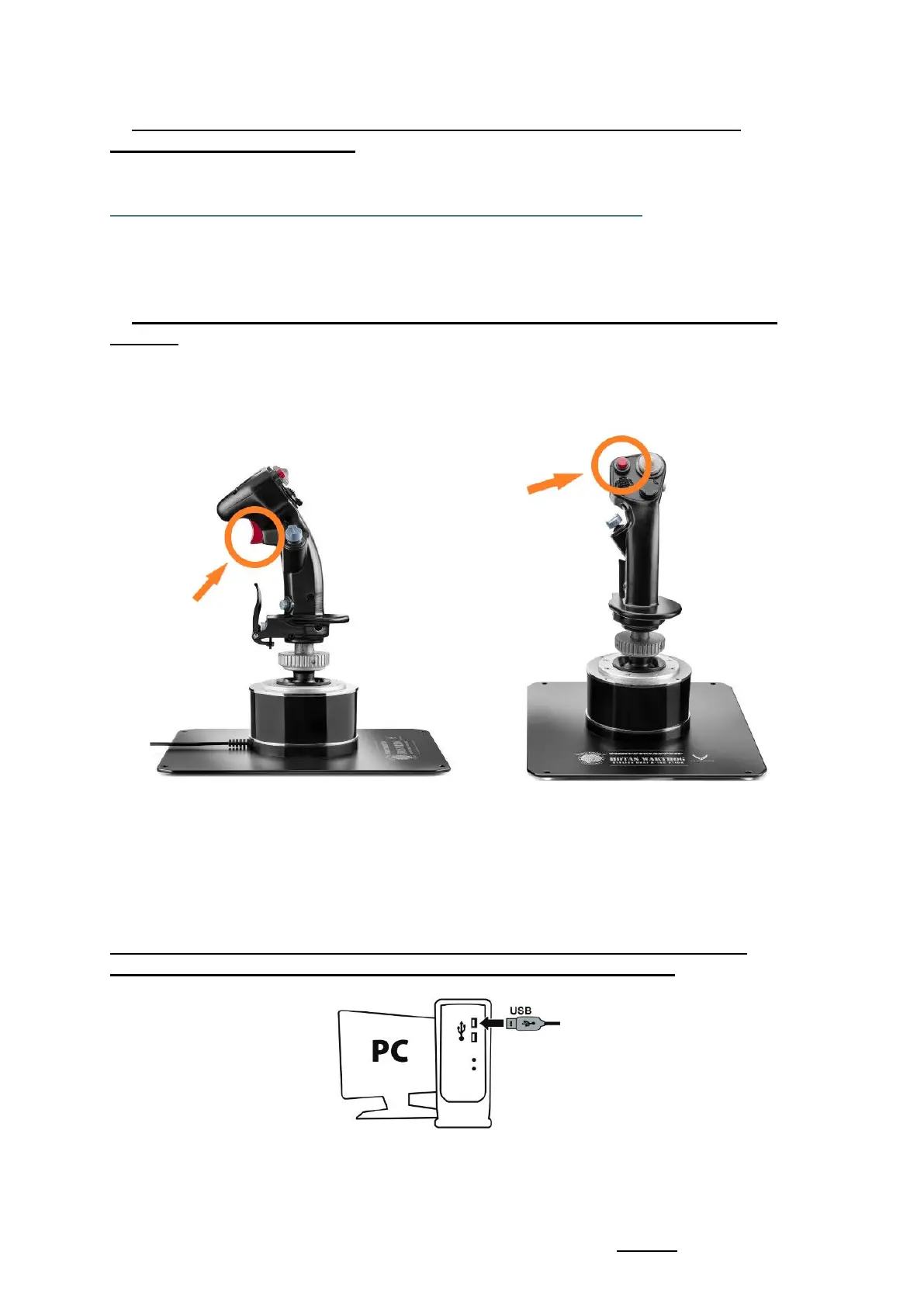
2) Simultaneously press and hold the "Gun Trigger" and "Weapon Release"
buttons
- The process is identical for the detachable handles A-10C Warthog
HOTAS, F-16C VIPER HOTAS and F/A-18C Hornet HOTAS.
3) Connect the HOTAS Warthog Flight Stick directly to a PC USB port by
holding down the "Gun Trigger" and "Weapon Release" buttons
- Wait about 3 seconds then release the "Gun Trigger" and "Weapon
Release" buttons.










 To Next Page