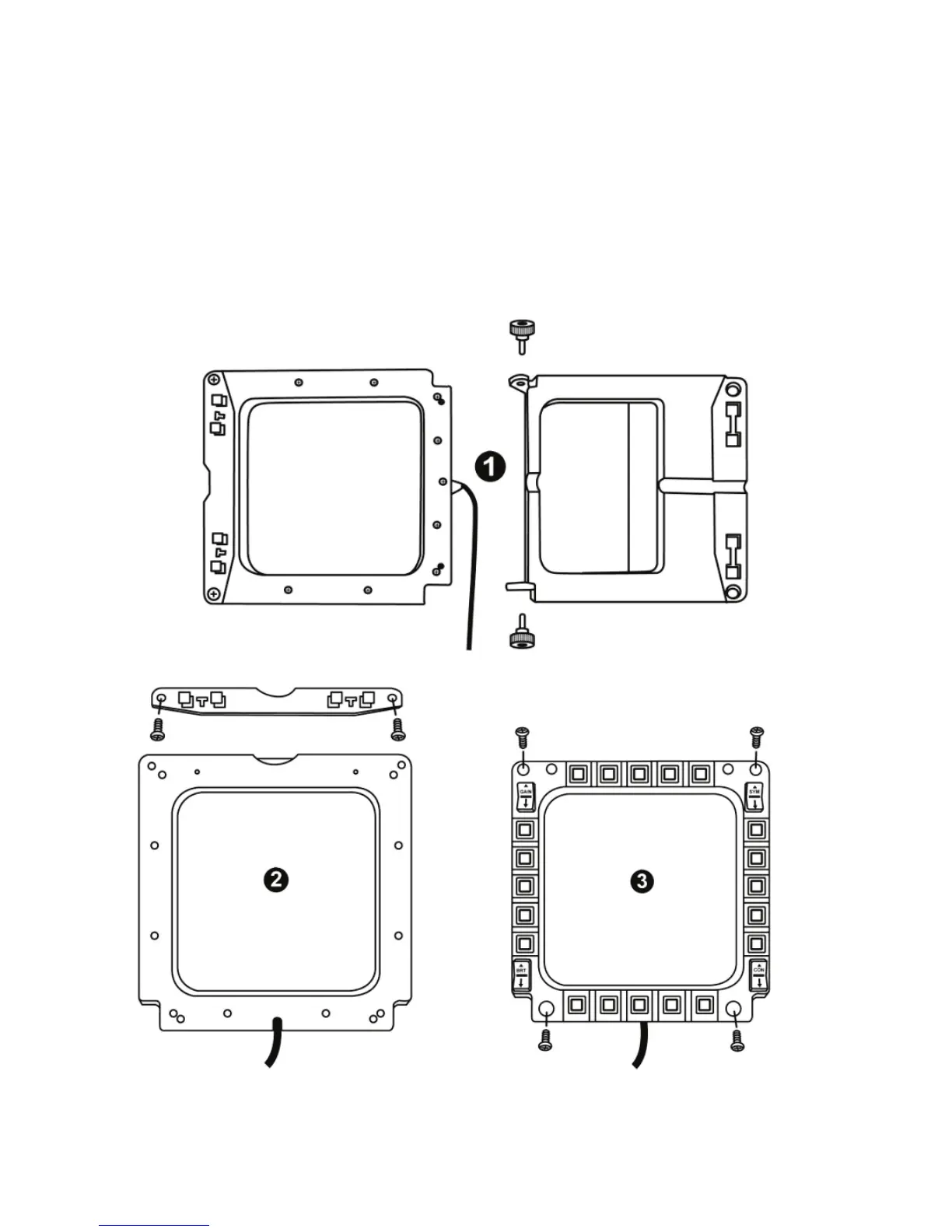
ATTACHING THE MFD TO A COCKPIT OR A SCREEN
1) Detach the attachment rods and remove the MFD from the base by fully unscrewing
the 2 attachment thumbscrews (6).
2) Detach the removable rod (10) located at the back of the MFD, on the device's upper
side, by fully unscrewing the 2
attachment
screws
(8) located to either side.
3) Remove the 4 bore covers (5) by pushing them out from the back, using a thin
screwdriver or a pin.
You can now attach the MFD using the 4 bores.










 To Next Page