Attaching the racing wheel's base to a cockpit
1. Place the racing wheel's base on the cockpit shelf.
2. Drive two M6 screws (not included) through the cockpit shelf, then feed them into the two small
threaded holes located beneath the racing wheel.
Important: The length of the M6 screws should not exceed the thickness of the shelf + 12 mm;
longer screws could cause damage to internal components located in the racing wheel's base.
3. If required, tighten the standard attachment system by inserting the fastening screw in the large
threaded hole.
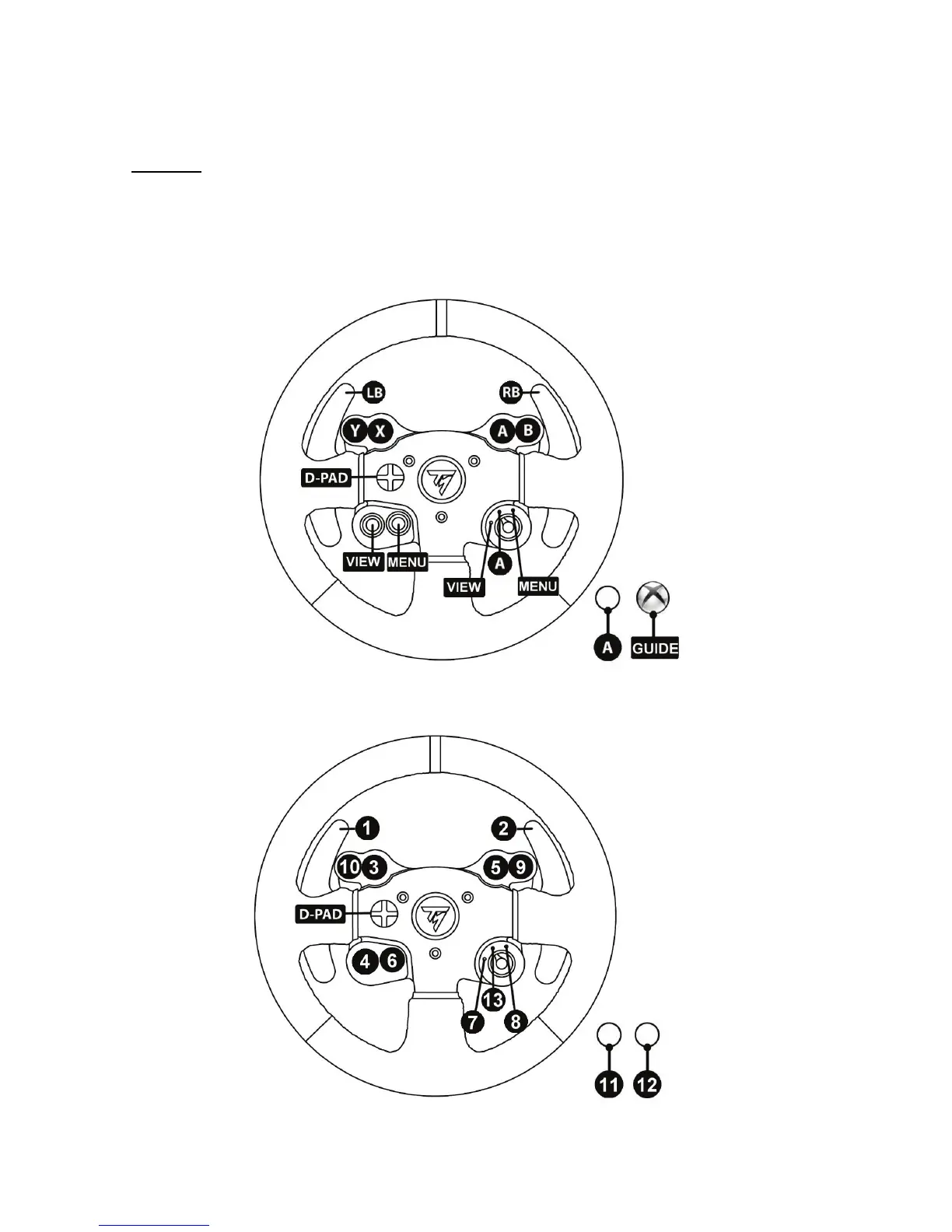
XBOX ONE MAPPING
PC MAPPING











 To Next Page