If your racing wheel and pedal set do not operate correctly, or if calibration seems incorrect:
Turn off your console, disconnect your racing wheel entirely, reconnect all cables (using the mains
power supply cable and pedal set), then restart your console and your game.
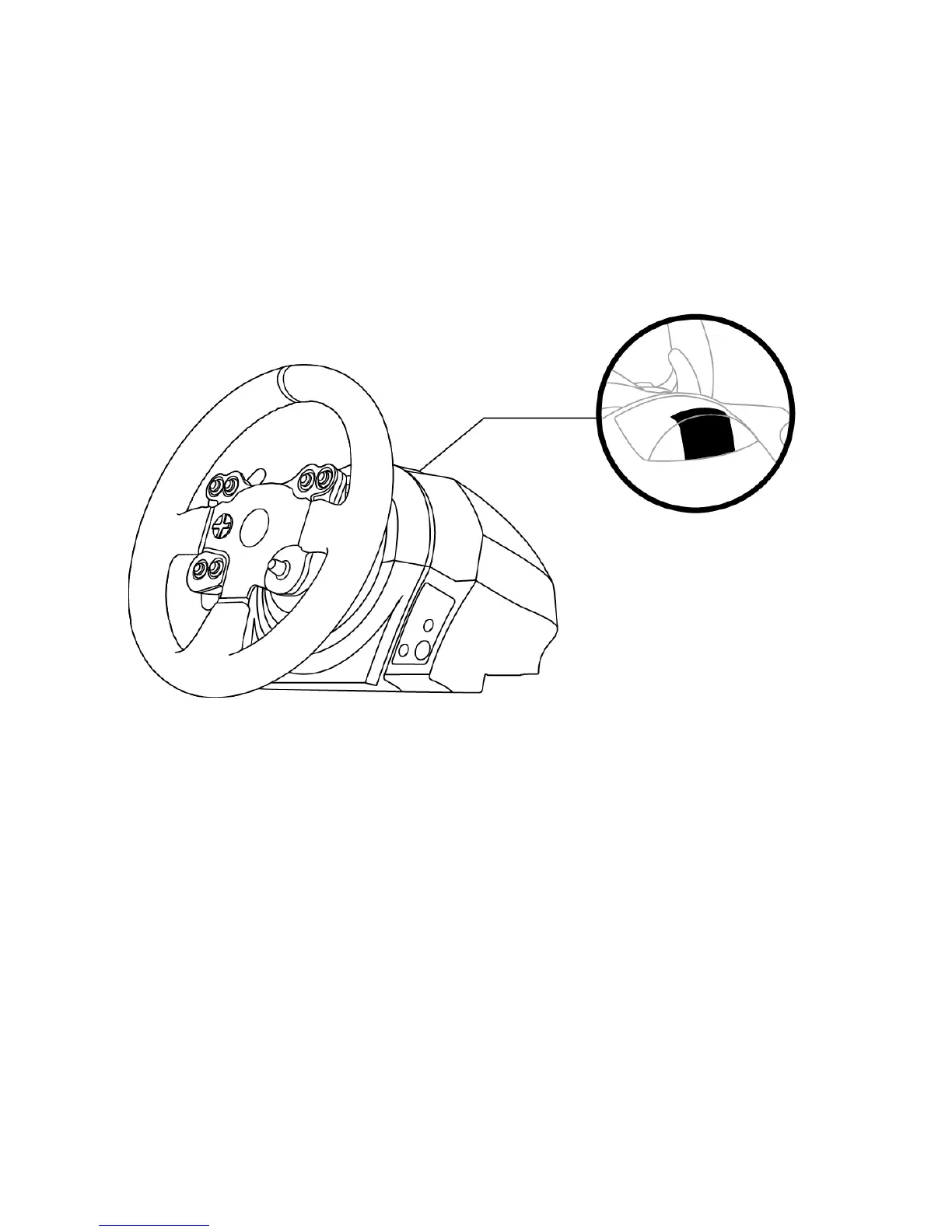
CONTROLLER PAIRING (13)
To ensure correct detection of your racing wheel, the device's controller pairing (located on the upper
section of the racing wheel's base) must always remain in the KINECT™ camera's field of vision.
INTERNAL TEMPERATURE SENSOR
For safety reasons, the racing wheel's base features a temperature sensor.
If the device's temperature becomes too high, your racing wheel can shut down suddenly.
In this event:
- Unplug the mains power supply cable and the device's USB connector.
- Wait for the racing wheel's base to cool down entirely.
- Then, reconnect the device.











 To Next Page