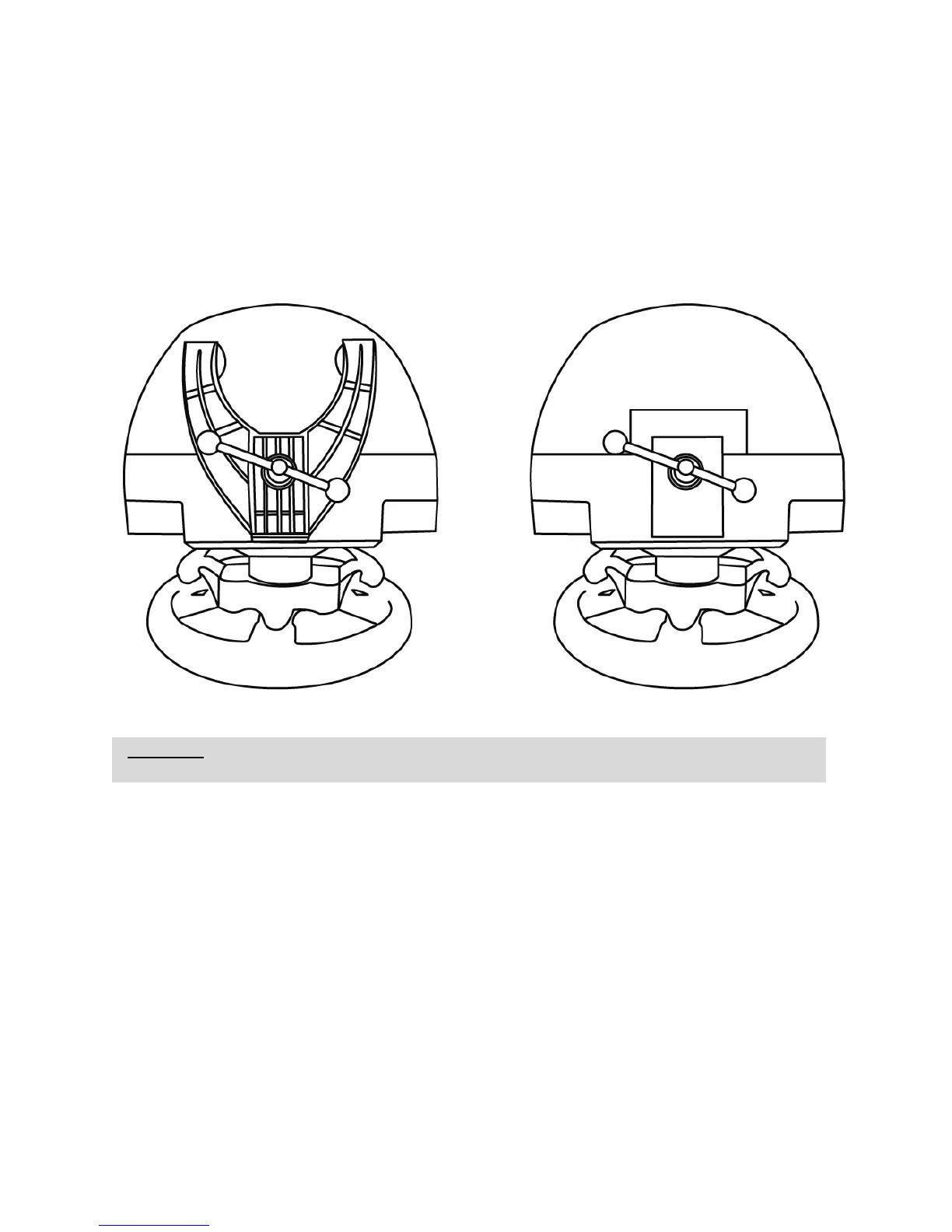
ATTACHING THE RACING WHEEL
Attaching the racing wheel to a table or a desktop
1. Place the racing wheel on a table or any other horizontal, flat and stable surface.
2. Insert the fastening screw (11) in the attachment system (10), then tighten the device by turning
the screw counterclockwise, so that it feeds into the large threaded hole (9) located beneath the
racing wheel, until the device is perfectly stable.
ALWAYS NEVER












 To Next Page