3) Verify the current firmware version of your TX Racing Wheel
The firmware version currently installed in your TX Racing Wheel can be viewed in
the Windows Control Panel.
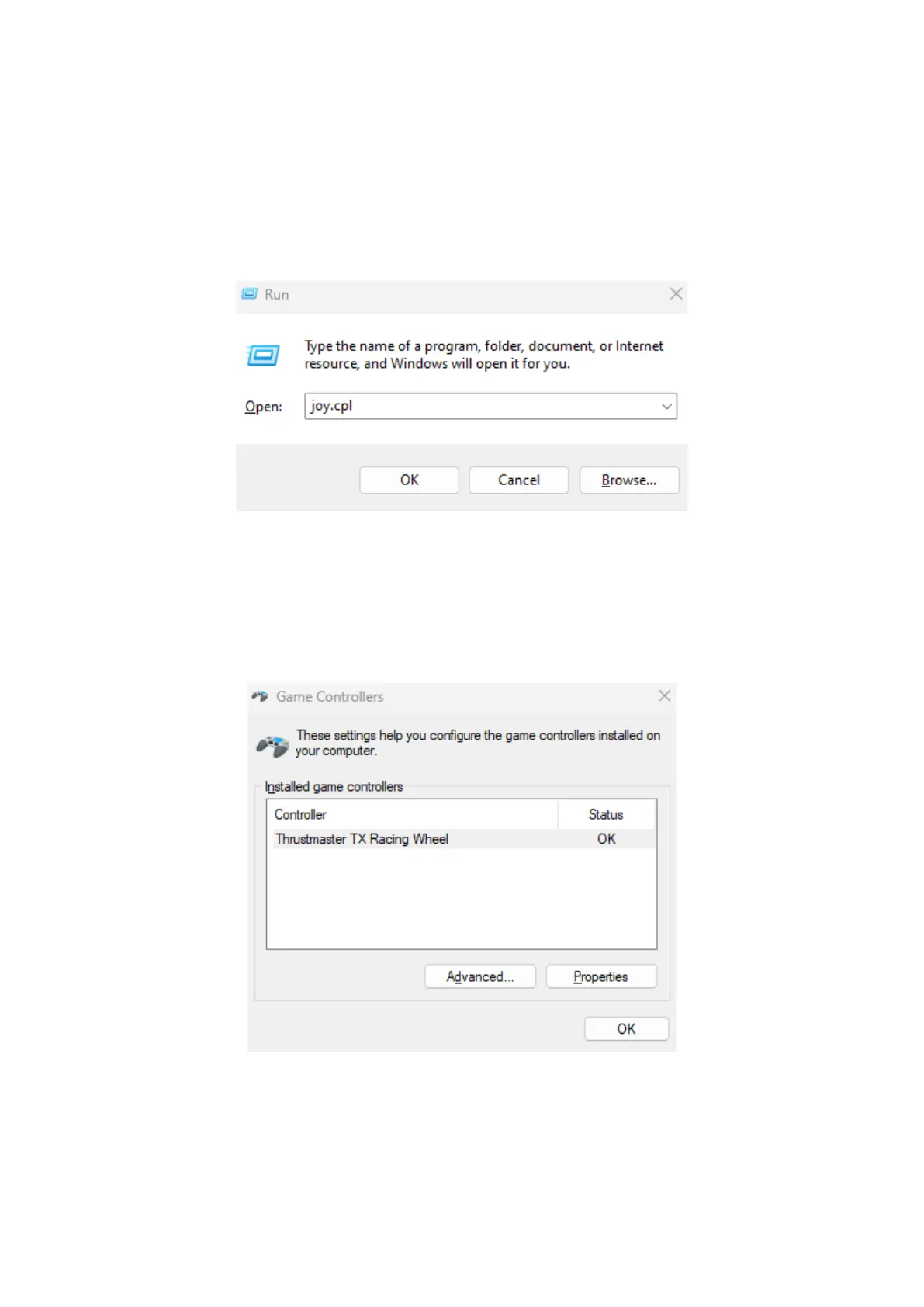
a) On your keyboard, simultaneously press the Windows and R keys.
The Run window opens: type joy.cpl and then click OK
b) The Game Controllers window opens: select the name of your product
and click Properties.
Your TX Racing Wheel appears with the name Thrustmaster TX Racing
Wheel














 To Next Page