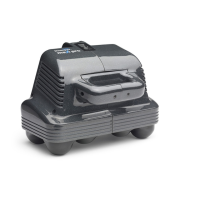
Understanding Thumper
Thumper has 2 different controls for adjusting the strength
of the massage. (1) Variable Speed Dial (2) Impact
Adjuster Dial.
As occurs with any massage, you may sometimes find the
reaction "It didnʼt hurt until you started to work on it," as
though the tension was created by the massage itself.
The same principle applies to a massage with Thumper.
Thumper is designed for massage of soft tissue (muscle)
not hard tissue (bone) using direct drive percussive stroke
that travels downward into your muscles. These
pulsations can be seen as a double image (1/4" in size) on
the large massage spheres.
The muscle Thumper massages should be at least 1/4"
thick or Thumper may feel too strong, bounce or shake.
You can see this by placing Thumper on a floor, where
the hard surface, instead of absorbing the vibration wave,
reflects it back to Thumper, producing a most
inharmonious rhythm. The solution is to stay away
from bony projections (knees, elbows, tip of shoulder, hip
projections, spine of shoulder blade, head or neck, etc.).
The strongest settings should be used on larger muscles.
On children, elderly, very thin people or over a thin
muscle, massaging with the lowest speed and impact
settings or massaging through a folded towel will make the
massage more comfortable.
ã Turn Thumper off before changing the Impact
Adjuster Dial.
Power Settings
8
2165 Thumper Maxi2.qxp:947558.qxd 1/13/11 3:21 PM Page 10



 To Next Page