17
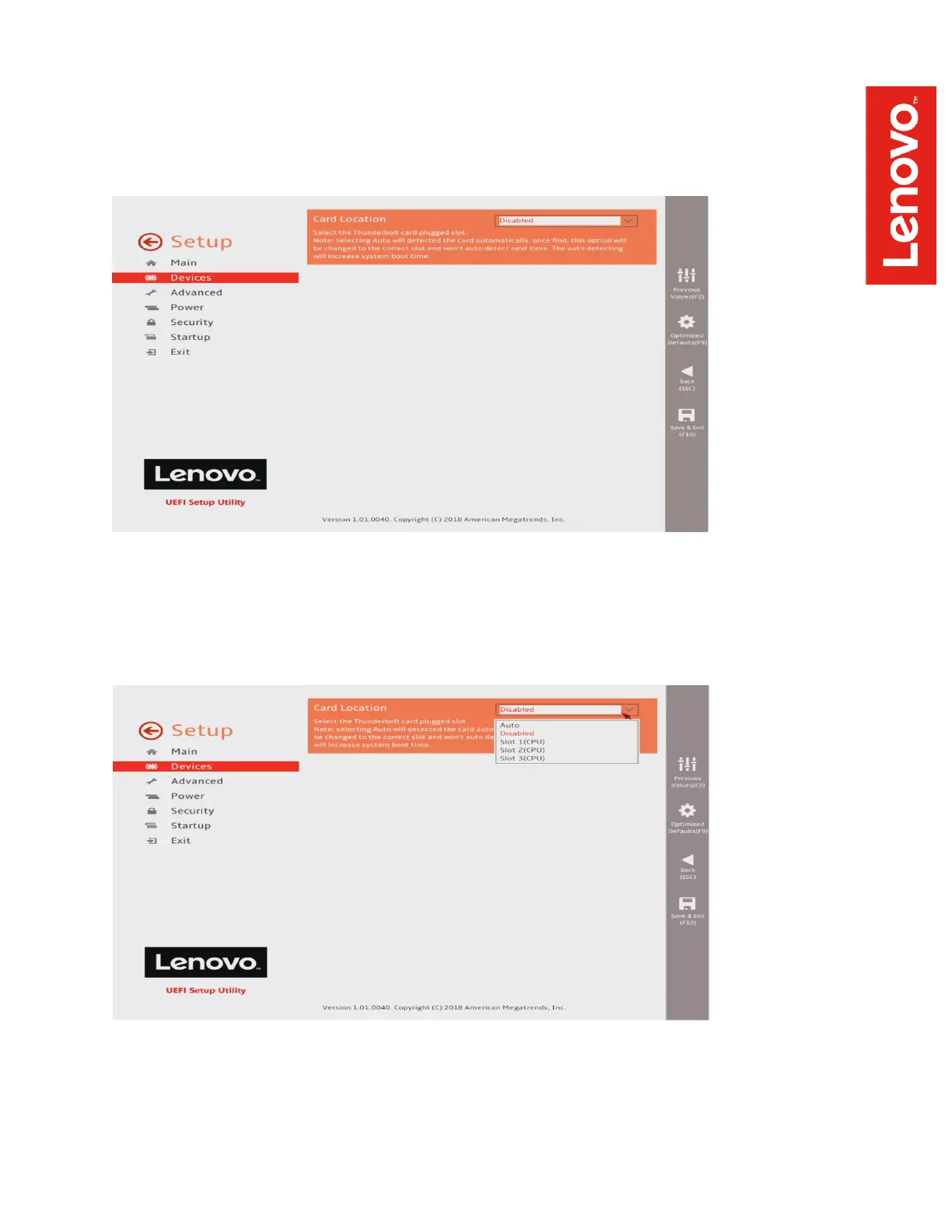
When you first arrive at the Thunderbolt Configuration page, it will show that the Thunderbolt card
is Disabled:
Click on the pulldown menu to enable the Thunderbolt card. The appropriate PCIe slot can be set
to Auto, which will allow the BIOS to detect the adapter card on the next boot, or it can be
manually set to the desired slot, as shown here:


 To Next Page