6
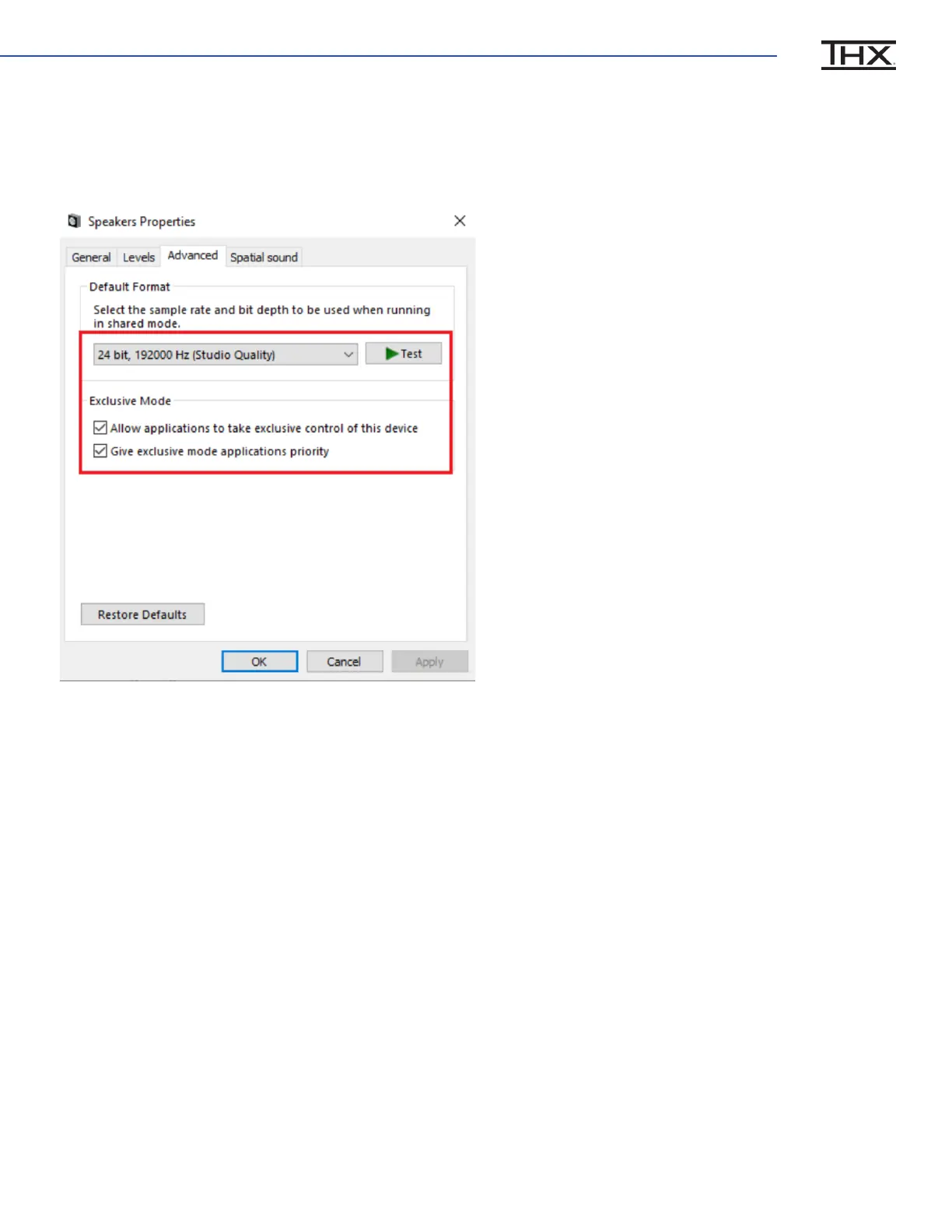
In the advanced Tab, set the Default Format to 24 bit, 192000 Hz, and check the two boxes
under Exclusive Mode. (Advanced users: select your preferred bit depth and sample rate
according to your use case)
7
Adjust the Windows volume to approximately 10%, then click Test and ensure you hear
the test tone through your headphones. Otherwise it’s REALLY loud!


 To Next Page