8
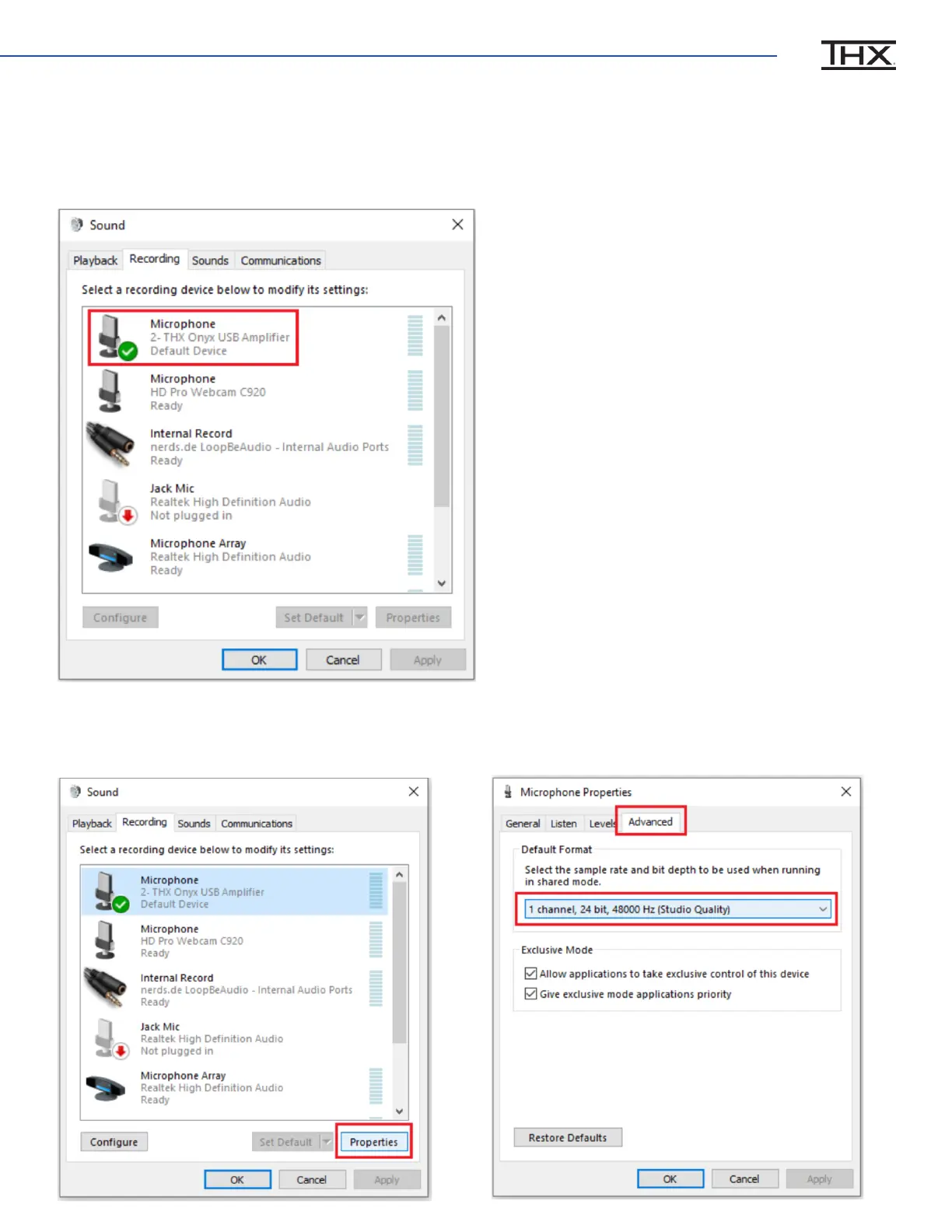
If you have a 3.5mm headset (TRRS with microphone) plugged in to THX Onyx, please go to
the Recording tab. Set THX Onyx as the Default Device. Verify you see the green check mark
and “Default Device” under it.
9
With THX Onyx selected, click on Properties>Advanced and change the microphone Default
Format to 1-channel, 24-bit, 48000 Hz.


 To Previous Page