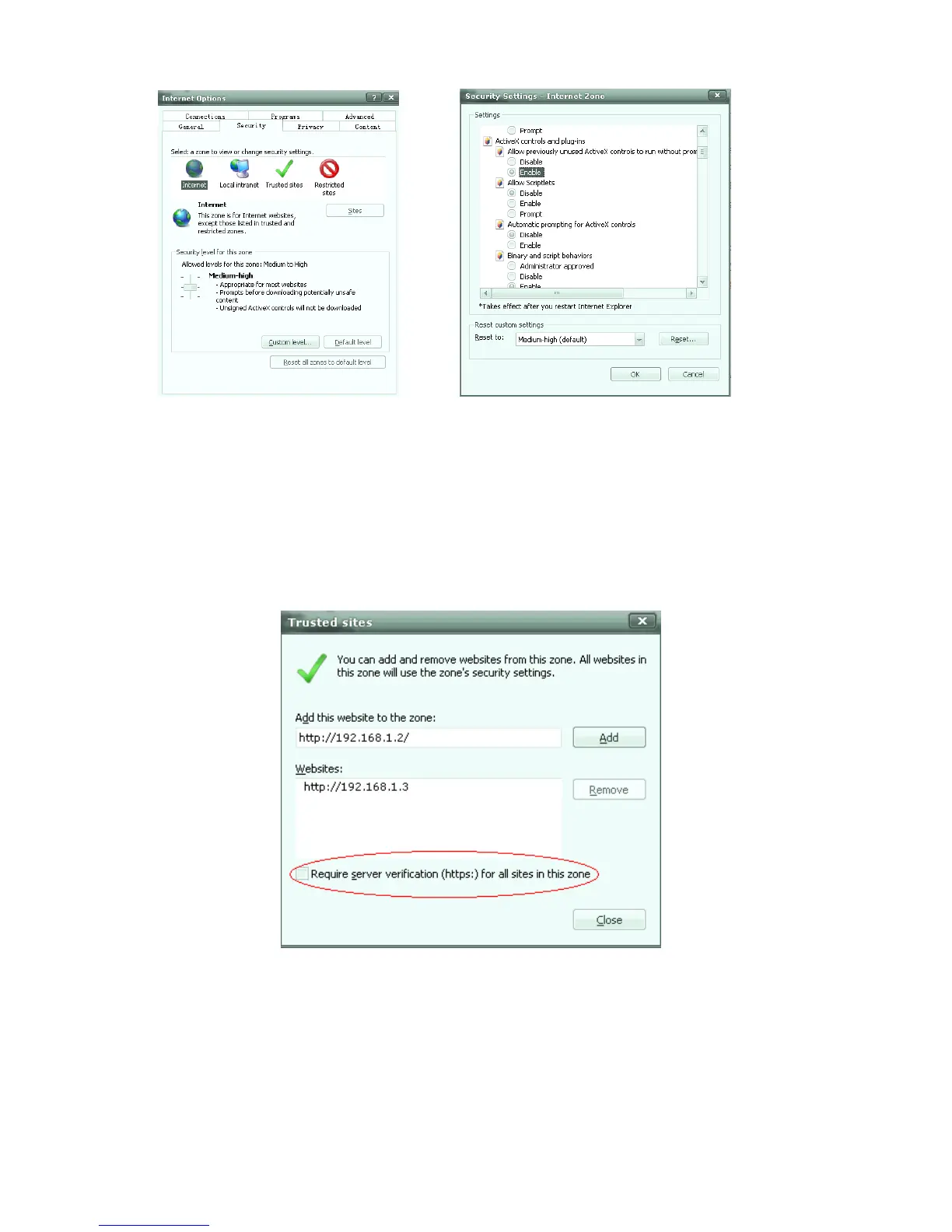
Fig. 5.1 Fig. 5.2
2.“Security-Local Internet-Custom setting”, take relative ActiveX controls and plug-ins
setting to “Enable”
3.If you use Windows XP, that would add IP address of Network Video in “trust sites” (as
figure 5.3): “trust sites”, input IP address, such as: http://192.168.1.2,and canceling
“Require server verification (http:) for all sites in this zone”. Click “Add”, “close”.
Fig. 5.3
【Notice】:After finished downloading of ActiveX, returning the security setting to
“default level”



 To Next Page