【object color】: selectable red, green, yellow, blue, purple, cyan, black and white
【alarm color】: selectable red, green, yellow, blue, purple, cyan, black and white
【track length】: set track length
【detective sensitivity】: selectable high, medium and low
Parameter settings:
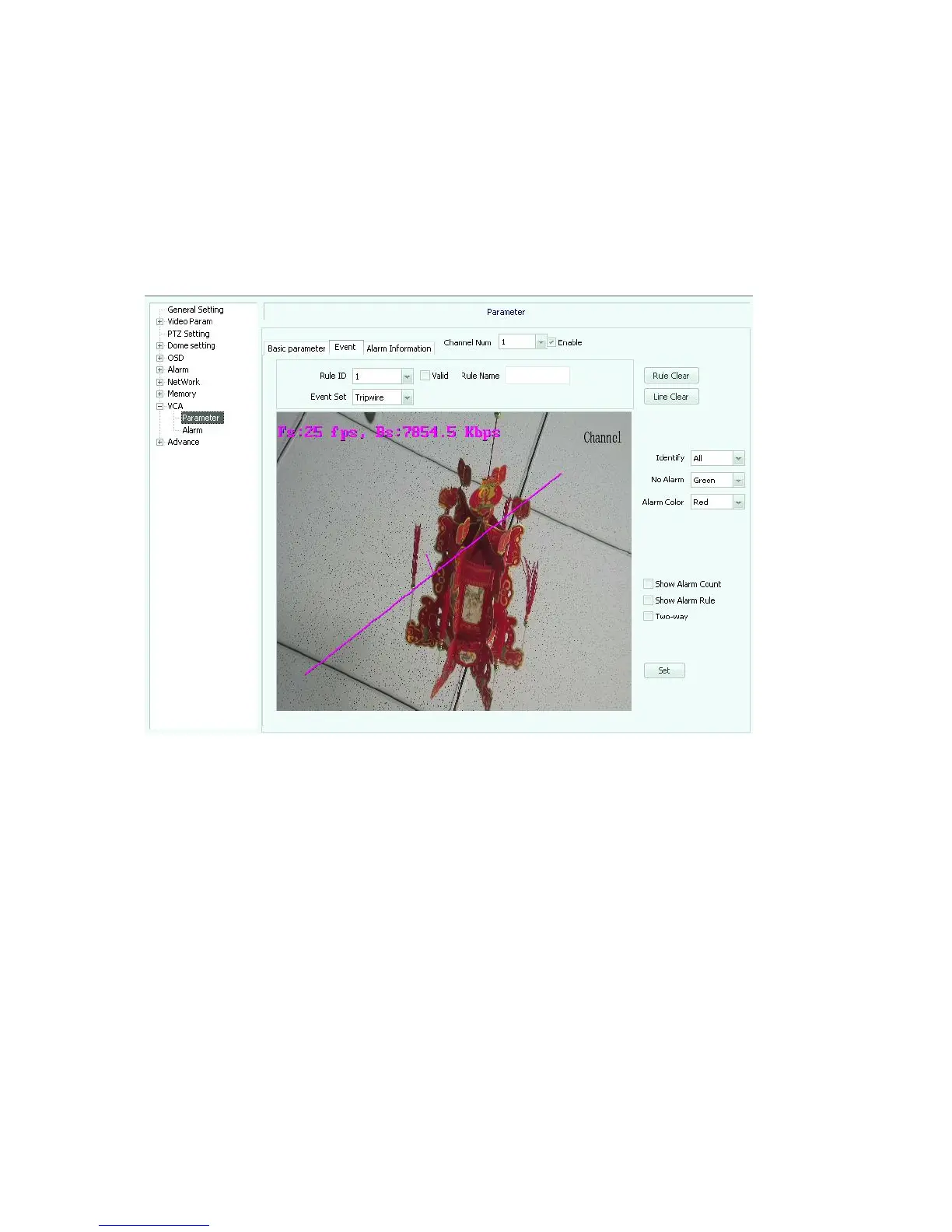
Event settings(see picture 5.47), check“enable”to activate.
Picture
5.47
【rule ID】:1~8 available
【event set】: selectable tripwire, boarder protection, object left or lost detection
【identify】: selectable all, people, cars, people and cars
【none-alarm color】: selectable red, green, yellow, blue, purple, cyan, black and white
【alarm color】: selectable red, green, yellow, blue, purple, cyan, black and white
Parameter settings: alarm information settings(see picture 5.48),check “enable”to
activate.
【channel number】: select video channel number
【rule ID】:selectable 1~8



 To Next Page