Need help?
Do you have a question about the Tibo Choros 4 and is the answer not in the manual?
Guidance on placing the appliance to ensure proper ventilation and prevent overheating.
Precautions against electrical shock or accidents in humid environments.
Instructions for cleaning the appliance using soft cloths and neutral solutions.
Procedure for removing the disc before relocating the appliance to prevent damage.
Recommendation to disconnect the appliance during a storm.
Action to take if foreign objects or liquids enter the appliance.
Advice on using original packaging for transport to prevent damage.
Lists the items included in the product packaging.
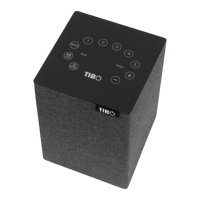
Details the buttons and indicators on the top surface of the speaker.
Identifies the ports and switches located on the rear of the speaker.
Step-by-step guide for the initial power-on and boot-up process.
Instructions on how to download and install the TIBO companion app.
Guide to connecting the speaker to a Wi-Fi network using the TIBO app.
Alternative methods for connecting the speaker to Wi-Fi if the primary method fails.
Instructions for Wi-Fi setup bypassing the TIBO app, using a web browser.
Steps to pair a Bluetooth device with the Choros 4/6 speaker.
Procedure for connecting audio sources via the 3.5mm Line In port.
Information on how to update the speaker's software for new features and performance.
Instructions on how to restore the speaker to its original factory settings.
 Power
Power| power handling | 40 W RMS |
|---|---|
| power supply | 100-240 VAC, 50/60Hz |
 Audio
Audio| frequency response | 100Hz – 20kHz |
|---|---|
| tweeter / mid-range | 2 x 25 mm |
| woofer | 1 x 100 mm |
| sound resolution | 24 bit/192kHz |
 Weight and Dimensions
| dimensions | 140 x 140 x 225 mm |
|---|---|
| weight | 2.1 kg |
Power| power handling | 80 W RMS |
|---|---|
| power supply | 100-240 VAC, 50/60Hz |
Audio| frequency response | 60Hz – 20kHz |
|---|---|
| tweeter / mid-range | 2 x 25 mm |
| woofer | 1 x 130 mm |
| sound resolution | 24 bit/192kHz |
Weight and Dimensions| dimensions | 200 x 200 x 280 mm |
|---|---|
| weight | 4.1 kg |
Power| power handling | 25 W RMS |
|---|---|
| power supply | DC 5V Micro USB in |
Audio| frequency response | 200Hz – 15kHz |
|---|---|
| tweeter / mid-range | 2 x 65 mm (full range) |
| woofer | 1 x passive radiator |
| sound resolution | 24 bit/192kHz |
 Battery
| battery built-in | Yes |
|---|
Weight and Dimensions| dimensions | 91 x 91 x 210 mm |
|---|---|
| weight | 1.13 kg |
Power| power handling | 30 W RMS |
|---|---|
| power supply | 100-240 VAC, 50/60Hz |
Audio| frequency response | 180Hz-15kHz |
|---|---|
| tweeter / mid-range | 2 x 75 mm (full range) |
| woofer | 1 x passive radiator |
| sound resolution | 24 bit/192kHz |
Weight and Dimensions| dimensions | 115 x 115 x 165 mm |
|---|---|
| weight | 1.2 kg |

 To Next Page