4
USING YOUR TROLLEY
Always handle your TiCad trolley slowly and carefully when
moving over rough ground that contains stones or pot-
holes. Avoid kerb edges. Never tow your TiCad trolley with
a buggy!
The TiCad Liberty is available with either dual button control or
twist-grip control.
Adjusting the drawbar:
As soon as the golf bag has been attached to your TiCad trolley,
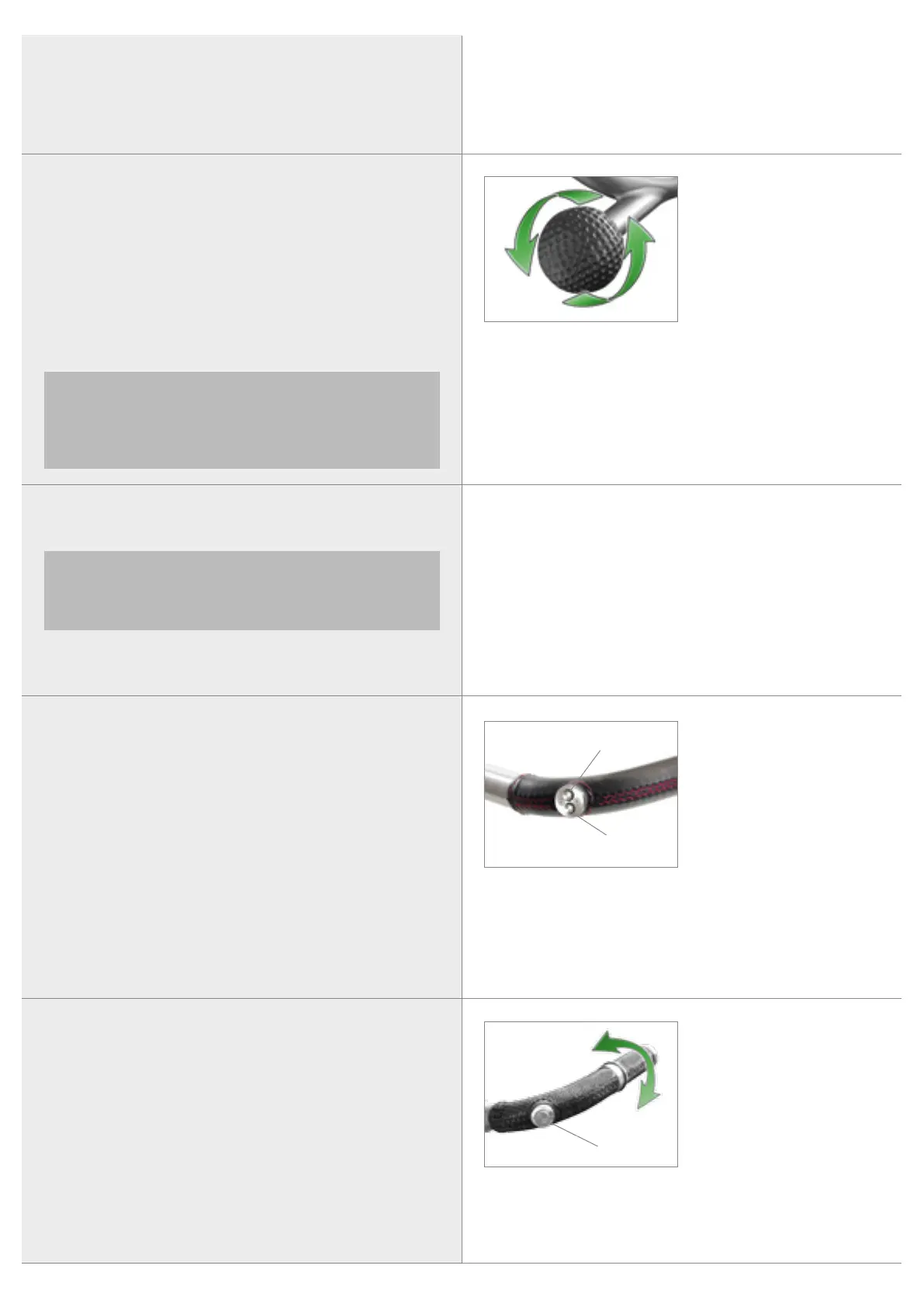
you can adjust the drawbar to a comfortable height. Simply loose
the drawbar by turning the black handle counter-clockwise 3 to 4
times. Only start moving the drawbar into the right position once
it has been completely freed and moves without resistance. To fas-
ten the drawbar, turn the black handle in the opposite direction.
When doing so, move the drawbar slightly up and down to allow
the fastening mechanism‘s teeth to fully engage with one another
and to prevent them from becoming damaged.
Adjusting the drawbar
READ ME FIRST
TiCad
LIBERTY
Please note that the individual frame segments will only
be watertight if the drawbar adjuster has been tightly
fastened. Always remember to tightly fasten the drawbar
adjuster after changing the drawbar‘s position, including
when folded up.
Dual button control:
Start/Stop
To start and stop the trolley, press both buttons (1+2) at the same
time. When the trolley has been stopped, the control unit will save
the last speed setting you have selected. When the trolley is start-
ed next, it will then start driving at this speed.
Speed control
Pressing the top button (1) increases the speed and pressing the
bottom button (2) reduces the speed.
Releasing and applying the electromagnetic parking brake
The parking brake can be released by pressing the “Slower” but-
ton (2). To activate press the “Faster” button (1).
1 Faster
2 Slower
1
2
Twist-grip control:
Start/Stop and speed control
Twisting the handle forwards starts the trolley and increases its
speed. Twisting the handle backwards reduces the trolley‘s speed.
Twisting the handle right back to the mechanical limit stop (to
zero) will bring the trolley to a stop and activate the brake.
Memory function
If you do not want to use the handle to bring the trolley to a stop,
you can also use the single button (3). When pressing the single
button (3) again the trolley will proceed with the speed that was
used last.
1 Twisting the handle forwards:
start + faster
2 Twisting the handle backwards:
slower + stop
3 Single button
2
3
1
READ ME FIRST
TiCad
LIBERTY


 To Next Page
 Loading...