Need help?
Do you have a question about the Tidal Engineering Synergy Nano 1 and is the answer not in the manual?
Details the technical specifications of the Synergy Controller, including features, analog inputs, outputs, and storage.
Details standard high and low absolute and deviation limits for each channel in the setup folder.
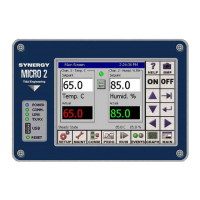
Identifies the principal components of the Synergy Controller Interface Panel, including touch screen and keys.
Explains the controller's user interface elements, including screen navigation keys and available folders.
Details access to Setup and calibration parameters, organized into 5 folders.
Explains the Proportional, Integral, and Derivative (PID) algorithm implementation for each control channel.
Explains the controller's logging system for capturing and storing data, alarms, and events.
Provides information on low storage alarms, low memory alarms, and alarm actions like relays and outputs.
Provides instructions for loading program files from external storage media.
Guides the user through the step-by-step process of adding and inserting program steps using the Add Step Wizard.
Instructions for loading a program file from Storage Card or USB Hard Disk.
Details on how to Start, Run From, Run Off, Stop, Pause, and dynamically edit programs.
Describes how to access and set steady state setpoints, and turn the chamber On and Off from the Main screen.
Explains how to configure the logging system using parameters arranged in Setup, Options, Profiles, and Data folders.
Provides installation and setup procedures for UUT modules, including hardware connections and configuration.
Summarizes the six key steps for Synergy Controller installation.
Details steps for configuring the controller after mounting and wiring, including chamber type and input calibration.
Explains PID algorithms and tuning parameters like Proportional Band, Integral, and Derivative.
Describes cascade control, a method using two loops for better performance and faster UUT temperature control.
Provides a comprehensive list of Synergy Controller communication commands, syntax, ranges, and examples.
Explains how to set up and use the Web Server for remote monitoring and control via a web browser.
 General
| Brand | Tidal Engineering |
|---|---|
| Model | Synergy Nano 1 |
| Category | Data Loggers |
| Language | English |


 To Next Page