KNIFEHOLDER FUNCTIONS
www.maxcessintl.com Tidland Performance Series Manual Knifeholder MI 557416 1 Q Page 7
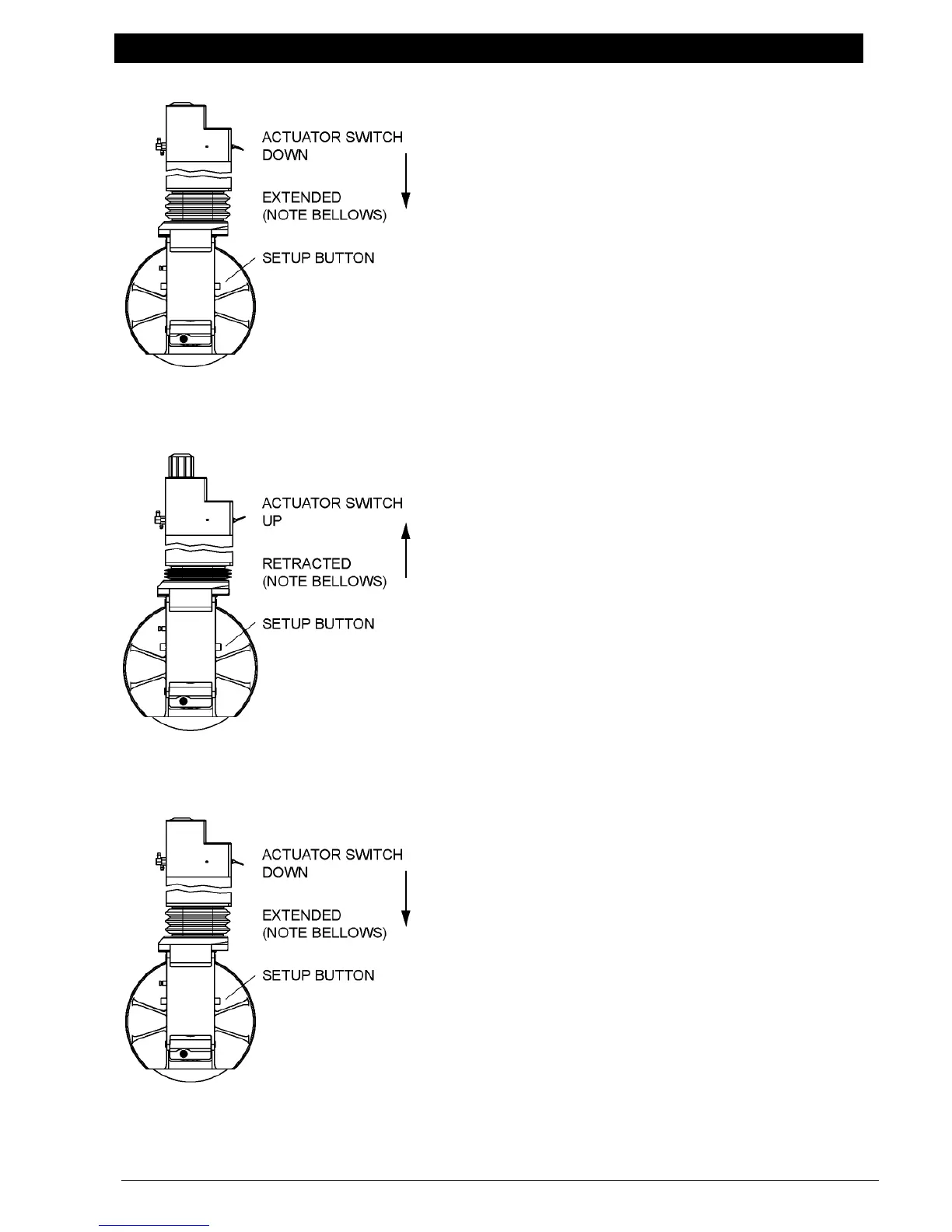
Actuator Switch
– Sends air to the blade cartridge, extending the
knifeholder and providing side stroke.
– Use when positioning the knifeholder blade to the
anvil ring blade only when product machinery is not in
operation.
– Using the actuator switch with the setup button will
extend the knifeholder and provide half the side stroke
distance.
To position the knifeholder, see pages 18-19.
Switch UP (Retract)
– Reverses (returns) the blade cartridge side stroke
and then fully retracts the blade cartridge.
– Retract when:
the knifeholder is not in operation.
adjusting blade overlap with depth control knob.
traversing the knifeholder to slit positions.
Switch DOWN (Extend)
– Used with setup button, extends the blade cartridge
and then swings it at half side stroke.
– During operation, extends the blade cartridge and
then swings it at full side stroke.


 To Next Page