2
ENG
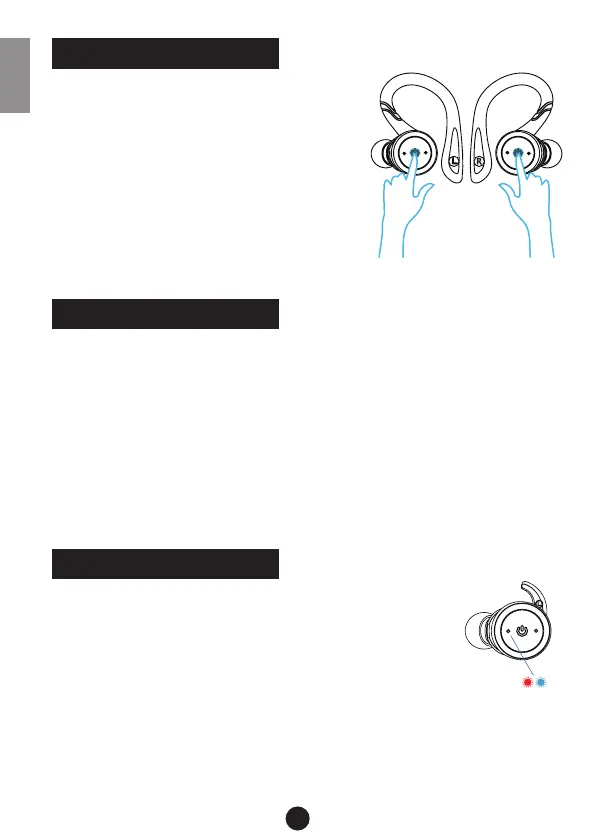
Long press the button of the left and right
earbuds (L and R) for 3 seconds (earbuds
ash blue light), earbuds will turn on and go
into pairing (the left earbud will blink blue
and red).
Search and select „TWS Earbuds-L“ to
conrm the pairing on your smartphone
(both earbuds ash blue light after suc-
cessful pairing).
Earbuds Auto Power On
1. Press the button of the charging case to power on (ash
blue light).
2. Take out both earbuds, they will automatically power on
and pair with each other (left earbud blink blue and red
light, right earbud ashes blue light).
3. Search and select „TWS Earbuds-L“ to conrm the pairing
on your smartphone.
1. Pairing: Long press the function button of L or R
earbuds for about 6 seconds, the earbud will turn
on and go into pairing mode (the indicator lights
will blink red and blue alternatively).
2. Search and select „TWS Earbuds-L or TWS
Earbuds-R“ to conrm pairing on your smartphone.
3. After the successful connection, the blue light of the ear-
buds will ash every ve seconds.
START LISTENING
TWIN STEREO MODE
SINGLE EARPIECE MODE


 To Next Page