5
How to charge your earbuds
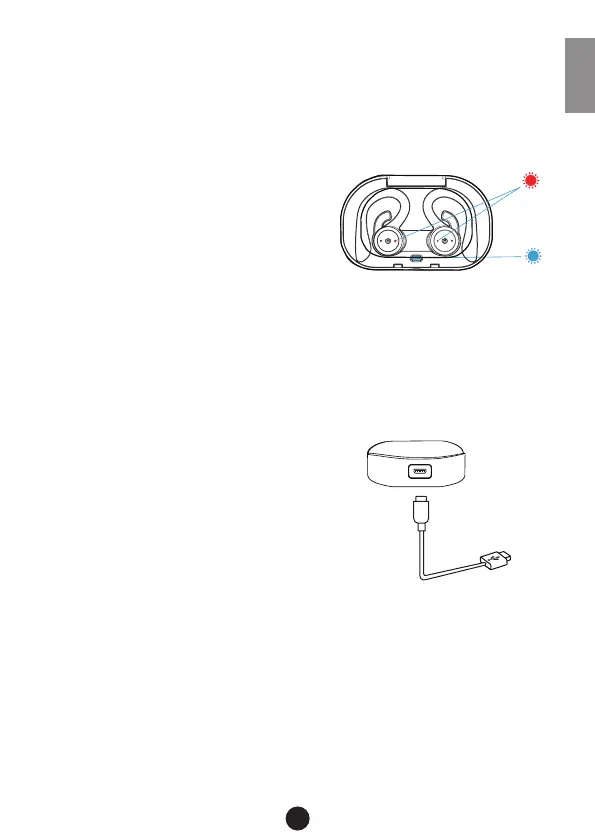
1. Open the charging case, press the button to power on,
then insert the earbuds correctly and close the charging
case lid.
2. Check if the earphones are
charging. You can see the ear-
buds (L+R) LED are lit red light
throught the charging case lid.
3. While the charging case is in
charging mode, it also supports for charge the earbuds.
WARNING: Please close the charging case lid while charging the
earbuds!
Charging the charging box
Use the provided Micro USB cable,
connect the charging case with your
computer or an AC adapter.
Input: 5V 500mA | Output: 5V 100mA
Note: In the case of not using the product for a long time, please
make sure to charge the earbuds each two months.
ENG


 To Next Page