331
© Tieline Pty. Ltd. 2015
Genie Distribution User Manual v1.6
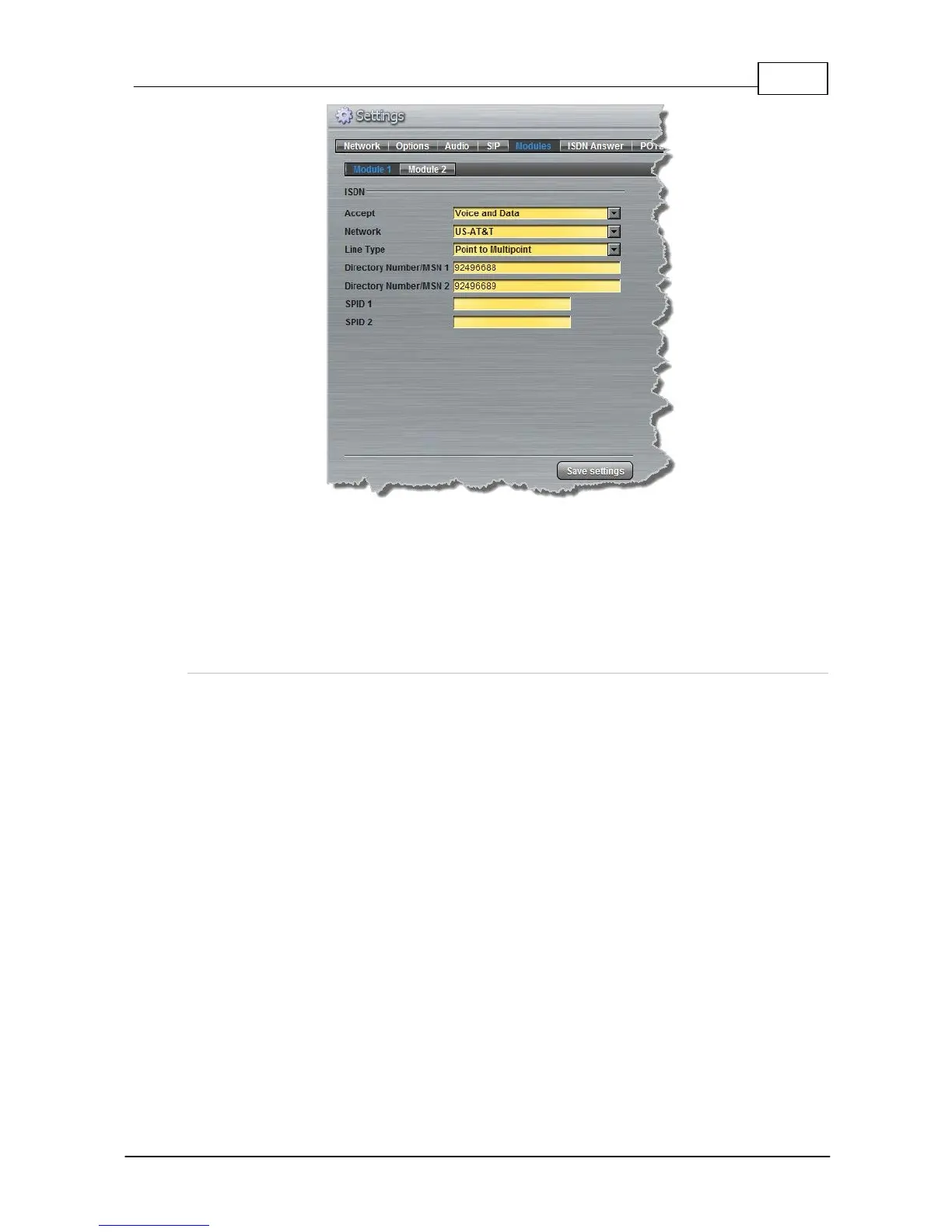
If codec 1 always uses the first directory number to call then it will always be routed via Route 1 to
the Answering Audio Stream Connection using Answer Route 1 (configured in step 1). Codec 2
should always use the second directory number and then it will always be routed via Route 2 to the
Answering Audio Stream Connection configured with Answer Route 2.
27.9 POTS Connection Tips & Precautions
POTS Operation Precautions
POTS performance is greatly affected by the quality of the line being used. Precautions must be
taken to ensure the Tieline codec is not sharing the line with other devices. Please remove these
possible sources of interference:
· DSL or ADSL Modems
· Other telephone handsets
· Portable phone base stations
· Unused parallel phone sockets
· Fax machines
· Computer modems
· Burglar alarm systems
· Extension bells
· Call waiting
Call Waiting
Call waiting tones may cause the codec to malfunction. Most phone companies supply call
waiting as a feature and you will need to turn it off. Your Telco should be able to provide a
number you can dial to disabling the call waiting feature on the line.
Private Branch Exchanges
Avoid connecting the codec to a digital PBX or PABX system, key station, business system or


 To Next Page