EasyManua.ls Logo

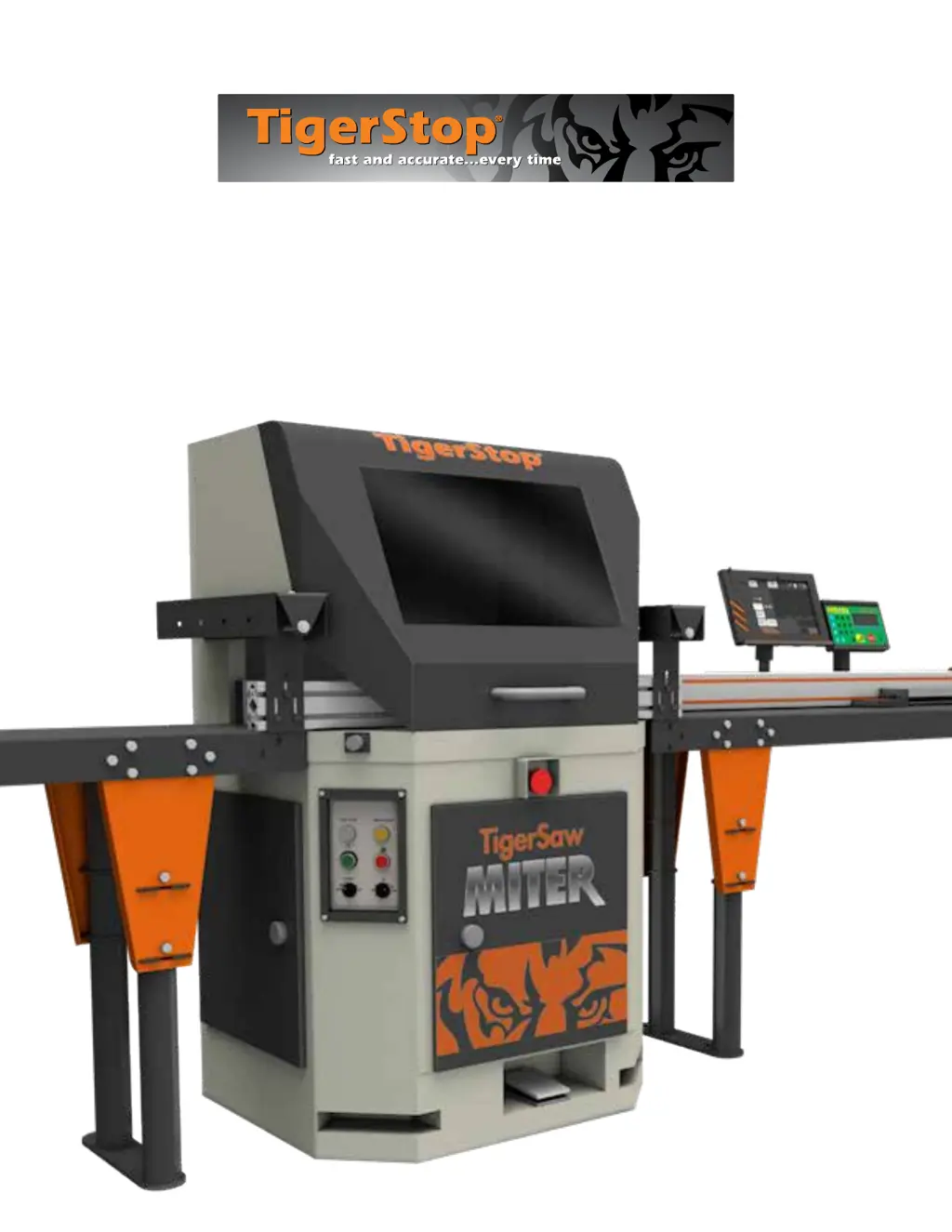
TigerStop TigerSaw Miter - User Manual

TigerStop TigerSaw Miter
52 pages
Print Icon
To Next Page IconTo Next Page
Loading...
TigerSaw Miter
Owner’s Manual

Questions and Answers

  • N
    Nicholas TorresAug 11, 2025
    How to improve saw stroke and cut quality on my TigerStop Saw?
    • K
      Kelsey PattersonAug 11, 2025
      If you're experiencing issues with the saw stroke and cut quality on your TigerStop Saw, consider these solutions: First, increase the working air pressure. You can also increase the stroke speed or lower the height of the upper limit switch. If the blade is the issue, replace or sharpen it, or ensure you are using the appropriate blade type. Alternatively, reducing the standard stroke speed might help. Increasing the belt tension and checking the fence alignment could also improve the cut quality.
  • C
    Carl BarreraAug 18, 2025
    Why is my TigerStop TigerSaw Miter Saw having movement and accuracy problems?
    • T
      Terri CooleyAug 18, 2025
      If you're encountering movement and accuracy problems with your TigerStop Saw, begin by turning the system off. Ensure that the entire range of travel is clear of obstructions. Then, turn the system back on and run the home routine. If problems persist, consult the manual pages for finding the end limits, calibrating the system, checking the scale, and checking the kerf.
  • M
    Manuel KimAug 27, 2025
    What to do if I have a kill line tension issue with my TigerStop Saw?
    • B
      Brittany WoodAug 27, 2025
      If you're having a kill line tension issue with your TigerStop Saw, adjust the kill line tension using the nuts on the tension plate eye bolt.
  • V
    vaughnjeanetteNov 3, 2025
    What to do if my TigerStop Saw shows an X-out error?
    • C
      Christopher RamirezNov 3, 2025
      If your TigerStop Saw experiences an X-out error, several factors could be at play. It could be a signaling issue, so start by checking the mounting to ensure the DM sensor is triggered when the saw is at rest and isn't affected by vibration. Also, inspect the cables and connections between the DM sensor and the TigerStop. Another cause could be settings. Avoid altering the thresholds unless specifically instructed by TigerStop customer service. Speeds should also be monitored; they should never exceed 25 in/s (635 mm/s) for a TigerStop, or 30 in/s (762 mm/s) for a TigerTurbo. Overwork can also cause this issue. Remember that weight isn't the sole factor determining required pushing force; for example, wet wood on flat tables can create suction, reducing the allowable weight. Addressing ja...

Summary

Safety First

General Warnings

General safety precautions for installation and operation of TigerStop products.

Installation Warnings

Specific warnings for installing TigerStop products according to regulations and standards.

Interconnect Safety

Responsibility for ensuring safety equipment with TigerStop interconnects.

Operational Hazards

Dangers during operation, moving parts, and required PPE.

TigerSaw Miter Safety

Work Environment Safety

Warnings about dangerous environments, flammable atmospheres, and proper attire.

Electrical Safety Precautions

Guidelines for electrical connections and internal component safety.

Operator Responsibility

Prohibition of operating under influence and requirement for qualified personnel.

TigerSaw Miter Safe Operation

General Operational Safety

Caution, grounding, keeping area clear, and avoiding unattended operation.

Material Handling and Guards

Safety for stock handling, guards, and PPE like steel-toed footwear.

Installation Requirements

Power and Grounding

Electrical power specifications and mandatory grounding procedures.

Air Supply and Dust Extraction

Requirements for air pressure, flow, and effective dust extraction.

TigerStop Controls Overview

Control Components

Identification of Amplifier, I/O Panel, and Controller.

Saw Operation Basics

System Power Control

How to turn the TigerSaw Miter system on and off using the main switch.

Saw Control Panel Functions

Operation of the saw control panel buttons and indicators.

Saw Operation Safety Features

Access Doors and Safety Switches

Details on access doors and their integrated safety switches.

Emergency Stop Functionality

Location, operation, and reset procedure for the E-stop switch.

Tabletop Guard Door Safety

Operation of the tabletop guard door and its safety switch interlock.

Saw Cabinet Access

Front Cabinet Door Safety Latch

Operation of the front cabinet door latch and safety switch.

Integration and Automation

AIK2 System Components

Overview of the advanced interconnect kit (AIK2) and its parts.

Emergency Safety Chain Break

Procedures for breaking the safety chain in emergencies.

Integration and Automation Features

Resetting the Safety Chain

Steps to reset the safety chain after activation.

AIK2 Interconnect Behavior Modes

Configuration options for automated cutting and positioning.

Basic TigerStop Operation

Controller Display and Status

Understanding the controller display and drive indicators.

Home Routine Procedure

Importance and steps for completing the home routine.

TigerStop User Interface

TigerStop Operation Modes

TigerStop Presets

TigerStop Advanced Operation

TigerStop Menu System

TigerStop Menu Functions

TigerStop Menu Settings

TigerStop Scale Adjustment

TigerStop Menu Customization

TigerStop Menu Options

TigerTouch Control System

TigerTouch Interface

TigerTouch List Processing

TigerTouch Options and Settings

TigerTouch Calibration

Pivot Point Calibration Procedure

Critical steps for calibrating the pivot point for accuracy.

Machine Adjustments

Machine Stroke Adjustments

Troubleshooting Guide

Movement and Accuracy Issues

Steps to resolve problems with movement and accuracy.

X-out Error Causes and Clearing

Understanding and resolving X-out errors.

Troubleshooting Diagnostics

Troubleshooting Specific Issues

Replacement Parts

Machine Maintenance

Blade Maintenance

Drive System Maintenance

TigerStop TigerSaw Miter Specifications

General IconGeneral
BrandTigerStop
ModelTigerSaw Miter
CategorySaw
LanguageEnglish

Related product manuals