Need help?
Do you have a question about the TigerStop TigerSaw MiterXL and is the answer not in the manual?
General safety precautions for installation and use of TigerStop® Products.
Warnings related to the proper installation of TigerStop® Products.
Safety considerations when connecting TigerStop® products to other tools.
Safety guidelines for operating the TigerSaw MiterXL.
Electrical power requirements for the TigerSaw MiterXL.
Importance and procedure for grounding the TigerSaw MiterXL.
Specifications for the required air supply pressure.
Details on dust extraction port size.
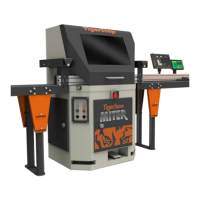
Identification of components on the front of the TigerSaw MiterXL.
Identification of components on the back of the TigerSaw MiterXL.
Explanation of the emergency stop buttons and kill line.
Description of the safety interlocks on access doors.
Details on the guard door, cabinet light, and base doors.
Instructions for adjusting air pressure and using the air kicker/gun.
Information on Miter Table and Blade lubrication systems.
Description of the in-feed swing clamp, fence clamp, and top cap.
Covers top cap lubrication and working height adjustment.
Overview of system power and the saw control panel.
Details on saw/TigerStop switches and control panel indicator lights.
How to perform a saw cycle and adjust stroke speed.
Introduction to TigerTouch and TigerStop Standard Controllers.
Explains I/O panels, amplifiers, operating mode, and start-up.
Explanation of the controller display, indicators, and soft keys.
Steps to perform the controller's home routine.
Describes the ready screen and how to perform manual movement.
How to use calculator and increment modes for positioning.
How to program, use, and delete presets.
How to use jog and quick calibration functions.
How to navigate and select menus within the controller.
Procedures for swing clamp, calibration, and kerf settings.
How to find end limits and set the minimum travel limit.
Settings for password, preset behavior, and units conversion.
Features for disabling calibration, changing units, and jog reverse.
Steps to start and connect TigerTouch.
How to manually control the positioner and miter via the Move screen.
How to process part lists using the List screen.
Accessing interface and controller settings through the Options screen.
Critical procedure to calibrate the pivot point for accurate lengths.
Steps to resolve movement and accuracy issues.
Explains the "Not Safe" warning and its resolution.
Explanation and resolution of the X-out error.
Common causes of X-outs related to overwork and jamming.
Tool for testing TigerStop® Standard Controller subsystems.
How to run the I/O test to identify amplifier input/output problems.
Troubleshooting steps for saw stroke and cut quality issues.
Importance of keeping the machine and work area clean.
Daily, weekly, monthly, and quarterly maintenance tasks.
Maintaining the air supply regulator and lubrication bowl.
How to run the drive test to identify mechanical issues.
Procedures for removing and installing saw blades.
How to adjust belt tension and replace belts.
Lists replacement parts for the saw system.
Lists common TigerStop, TigerTurbo, and HeavyDuty2 positioner parts.
Procedure for performing the scaling cycle for accuracy.
How to adjust the scale setting for motor rotation.

 To Next Page
 General