Need help?
Do you have a question about the Tigo TS4-R and is the answer not in the manual?
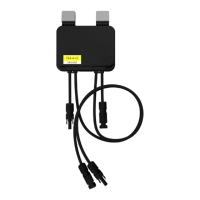
Visual guide illustrating the three main steps for installing the TS4-R or TS4-R-Duo.
Connect PV module input cables before TS4-R output cables in series. Disconnect output cables first.
Provides support website, email address, and international phone numbers for assistance.
Electricity is supplied to TS4-R output cables immediately when connected to a sunlit solar module.
 General
| Model | TS4-R |
|---|---|
| Maximum Input Current | 15A |
| Maximum Output Current | 15A |
| Operating Temperature Range | -40°C to +85°C |
| Functionality | Rapid Shutdown |
| Compatibility | PV modules |
| Installation | Module-level |
| Protection Features | Overvoltage, Overcurrent |

 To Next Page