
 Need help?
Do you have a question about the TILE Mate and is the answer not in the manual?
Stick, slide, or hook Tile to keys, wallets, bags, and more.
See the last place you had your Tile on a map and make it ring when you get close.
Double tap the Tile button to make your phone ring, even on silent.
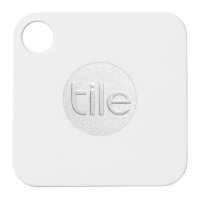
The Tile is a compact Bluetooth tracker designed to help users quickly locate their everyday items and even their phone. It operates in conjunction with an easy-to-use mobile application, making it a convenient solution for anyone prone to misplacing their belongings. The device itself is small and versatile, allowing it to be attached to a wide variety of items that users want to keep track of.
The primary function of the Tile is to act as a personal item finder. It leverages Bluetooth technology to establish a connection with a user's smartphone or tablet, enabling the app to monitor the Tile's proximity. When an item with a Tile attached goes missing, the user can open the Tile app to see its last known location on a map. This feature is particularly useful for items that might have been left behind or misplaced within a certain area.
Beyond simply showing the last known location, the Tile app allows users to make their Tile ring when they are within Bluetooth range. This audible alert helps pinpoint the exact location of the lost item, even if it's hidden under a couch cushion, in a bag, or in another obscured spot. The ringing feature is designed to be loud enough to be heard in typical indoor environments, making the search process more efficient.
Another key function of the Tile is its ability to help users find their phone. This is a particularly valuable feature, as phones are frequently misplaced. By simply double-tapping the Tile button on any of their Tiles, users can trigger their phone to ring, even if the phone is set to silent mode. This provides a quick and easy way to locate a phone without needing another device or relying on someone else to call it.
The Tile ecosystem also benefits from a community find feature, though not explicitly detailed in this excerpt, it's a common aspect of such trackers. This typically involves other Tile users' apps anonymously detecting a lost Tile and updating its location, expanding the search radius beyond the owner's personal Bluetooth range.
Using the Tile begins with a straightforward setup process. First, users need to download the free Tile app, which is available on various app stores. Once downloaded, they register for an account by providing an email address and creating a password. A confirmation email is sent to verify the account, after which users can log in to the app.
During the initial setup, the app will prompt users to grant necessary permissions, specifically for Bluetooth and location finding. These permissions are crucial for the Tile to function correctly, allowing the app to communicate with the Tile devices and display their locations on a map.
Adding a new Tile to the app is designed to be simple and intuitive. Users tap a "+" button within the app to initiate the process. They then firmly press the "Tile" button on the physical Tile device until it plays a tune, indicating it's ready to pair. The app guides the user through placing the Tile on their device (likely for initial pairing proximity) and then selecting what the Tile will be attached to. This personalization helps users keep track of which Tile is on which item.
Once a Tile is activated and linked to an item, its usage becomes seamless. Users can attach the Tile to a wide range of personal belongings. The manual suggests various applications, including keys, wallets, purses, cameras, laptops, luggage, backpacks, bikes, and tablets. The design of the Tile allows for different attachment methods, such as sticking, sliding into a pocket, or hooking onto a keyring, making it adaptable to almost any item.
The core usage involves opening the app when an item is lost. The app will display the last recorded location of the Tile on a map, providing a starting point for the search. As the user gets closer to the Tile, the app's proximity meter can help guide them. Once within Bluetooth range, the user can activate the ringing feature to hear the Tile's tune, leading them directly to their lost item.
The "Find your phone" feature is a standout usage convenience. It eliminates the frustration of searching for a misplaced phone, especially when it's on silent. The simple double-tap action on any Tile makes the phone ring loudly, regardless of its sound settings, providing immediate relief in a common scenario.
The app also offers resources for users to learn more about how Tile works and to explore Tile accessories, enhancing the overall user experience and providing options for expanding their Tile collection.
The provided information emphasizes a critical aspect of Tile maintenance: the device is not designed for user servicing. Users are explicitly warned against attempting to open or disassemble their Tile. This is due to the risk of electric shock and the fact that doing so will void the product's warranty. The internal components are not user-serviceable, meaning there are no parts inside that a user can or should attempt to replace or repair.
This implies that the Tile is designed as a sealed unit, likely for durability and to protect its internal electronics from environmental factors. The battery, for instance, is not intended to be replaceable by the user in most Tile models, suggesting a lifespan tied to the battery's duration. While not explicitly stated here, many Tile models are designed to last for a year or more, after which users are often offered options for replacement or renewal programs.
The "maintenance" in this context primarily revolves around proper handling and adherence to the manufacturer's guidelines to ensure the longevity and functionality of the device. Avoiding physical damage, exposure to extreme conditions (beyond what it's rated for), and tampering are the main forms of "maintenance" expected from the user. The focus is on the device's inherent reliability and the support provided through the app and customer service, rather than hands-on user maintenance.
 General
| Quantity per pack | 4 pc(s) |
|---|---|
| Substance | Tape |
| Product type | Finder |
| Adhesive type | - |
| Product color | Blue, White |
| Alarm function | Yes |
| Rechargeable battery | No |
| Mobile operating systems supported | Android, iOS |
 Weight and Dimensions
| Width | 34 mm |
|---|---|
| Height | 4.65 mm |
| Weight | 6 g |

 To Next Page