Size: 170 x 55mm
Color: Blk
Size: 170 x 55mm
Color: Blk
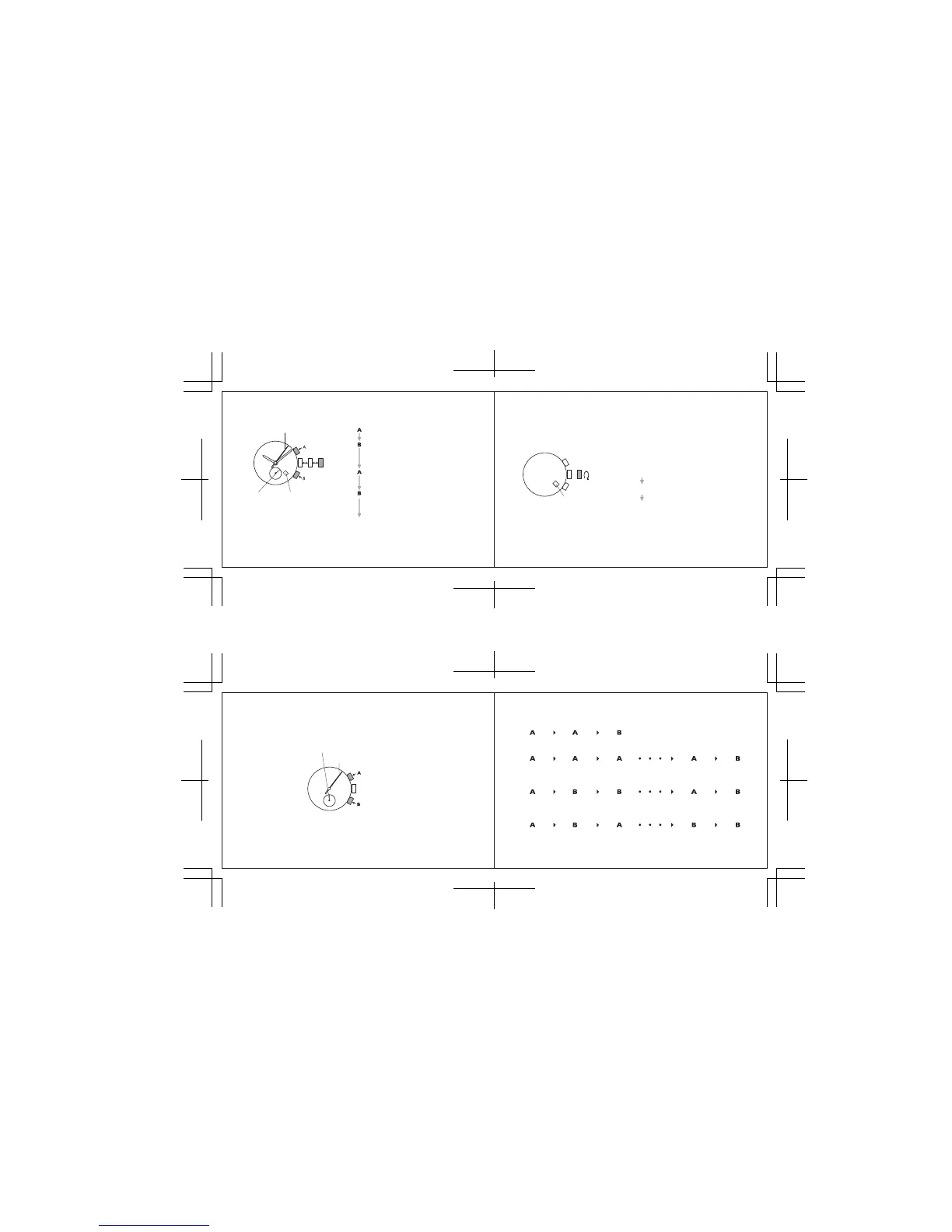
Press for 2 second.
* STOPWATCH minute hand turns a full circle.
Press repeatedly to set STOPWATCH
minute hand to the “0” position.
* The hand moves quickly if button B is kept
pressed.
Press for 2 second.
* STOPWATCH 1/5-second hand turns a full
circle.
Press repeatedly to set STOPWATCH
1/5-second hand to the “0” position.
* The hand moves quickly if button B is kept
pressed.
CROWN
Push back in to normal position in
accordance with a time signal
STOPWATCH
minute hand
STOPWATCH 1/5-second hand
CROWN
Date
SETTING THE DATE
• Before setting the date, be sure to set the main time.
Date
CROWN
Pull out to first click.
Turn clockwise until the desired
date appears.
Push back in to normal position.
1. It is necessary to adjust the date at the end of february and 30-day months.
2. do not set the date between 9:00 p.m. and 3:00 a.m.
STOPWATCH
• The stopwatch can measure up to 60 minutes in 1/5-second increments.
• After 60 minutes, it will start counting again from “0” repeatedly up to 12 hours.
STOPWATCH minute hand
STOPWATCH 1/5-second hand
v Before using the stopwatch, be sure to check that the crown is set at the normal position and
that the STOPWATCH hands are reset to the “0” position.
* If the STOPWATCH hands do not return to the “0” position when the stopwatch is reset to “0”, follow
the procedure in “SETTING THE TIME AND ADJUSTING THE STOPWATCH HAND POSITION”.
Standard measurement
START STOP RESET
Accumulated elapsed time measurement
START STOP RESTART
STOP RESET
* Restart and stop of the stopwatch can be repeated by pressing button A.
Split time measurement
START SPLIT SPLIT RELEASE
STOP RESET
* Measrement and release of split time can be repeated by pressing button B.
Measurement of two competitors
START FINISH TIME OF
1ST COMPETITOR
2ND COMPETITOR
FINISHES
RESET
FINISH TIME OF
2ND COMPETITOR



 To Next Page