7. Operation
W
ARNING
The cutting head will start rotating upon the engine
starts.
1. Feed fuel into the fuel tank and tighten the cap se-
curely.
(1)
2
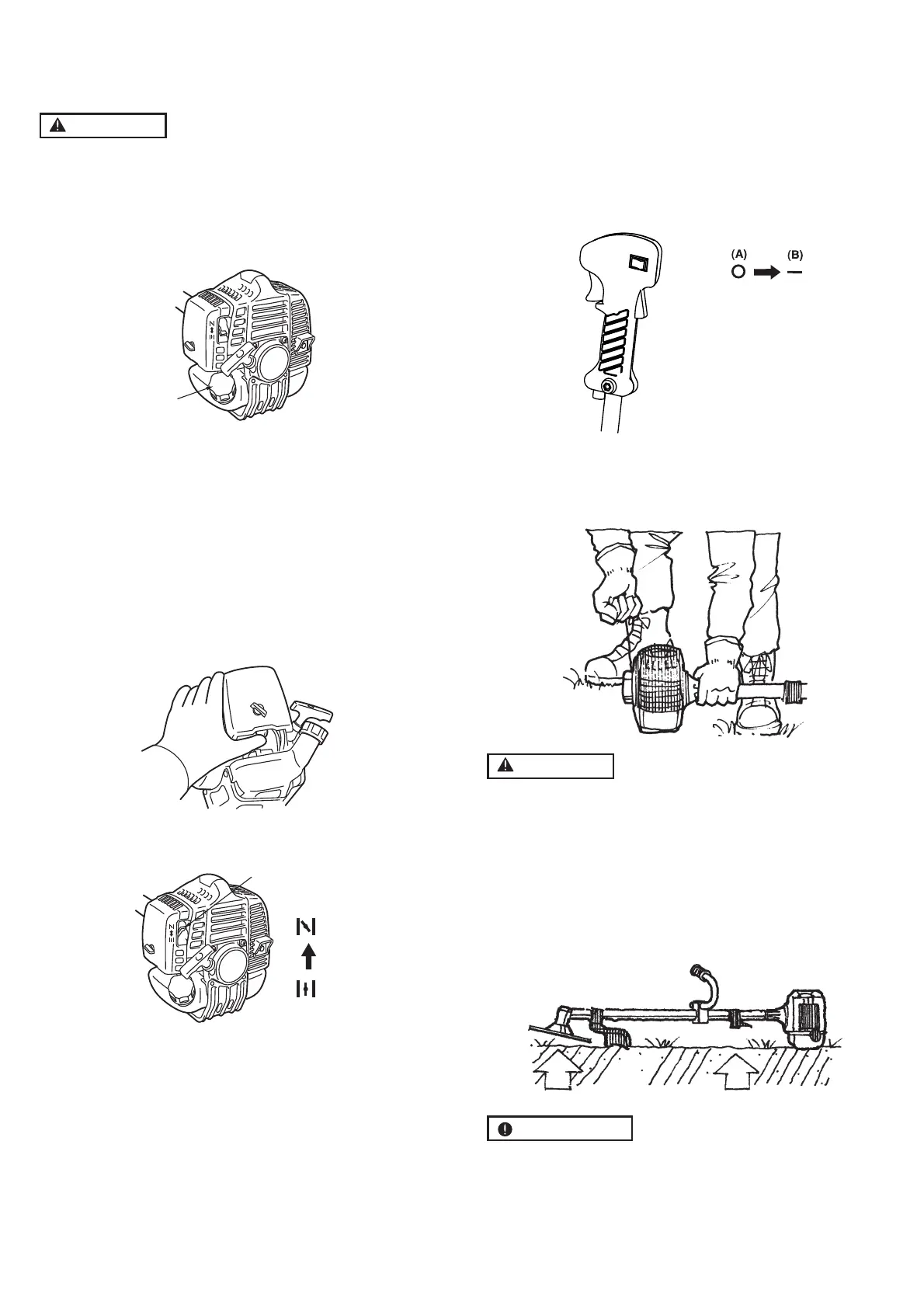
. Rest the unit on a flat, firm place. Keep the cutting
head off the ground and clear of surrounding objects,
as it will start rotating upon starting of the engine.
3. Push the primer several times until overflown fuel flows
out in the clear tube.
4. Move the choke lever to the closed position.
6.
While holding the unit firmly, pull out the starter rope
quickly until engine fires.
W
ARNING
The product is equipped with a centrifugal clutch
mechanism, so the cutting attachment begins to ro-
tate as soon as the engine is started by putting the
throttle into the start position. When starting the en-
gine, place the product onto the ground in a flat clear
area and hold it firmly in place so as to ensure that
neither the cutting part nor the throttle come into
contact with any obstacle when the engine starts.
IMPORT
ANT
• Avoid pulling the rope to its end or returning it by re-
leasing the knob. Such actions can cause starter fail-
ures.
(1)
(2)
(3)
(1) Chok
e le
v
er (2) Close (3) Open
5
. Set the stop switch to the “
-
” position. Set the thr
ottle
trigger to the start position.
Place the unit on a flat, firm place.
Keep the cutting head clear of everything around it.
(A)Stop
(B)Run/start
GB 10


 To Next Page