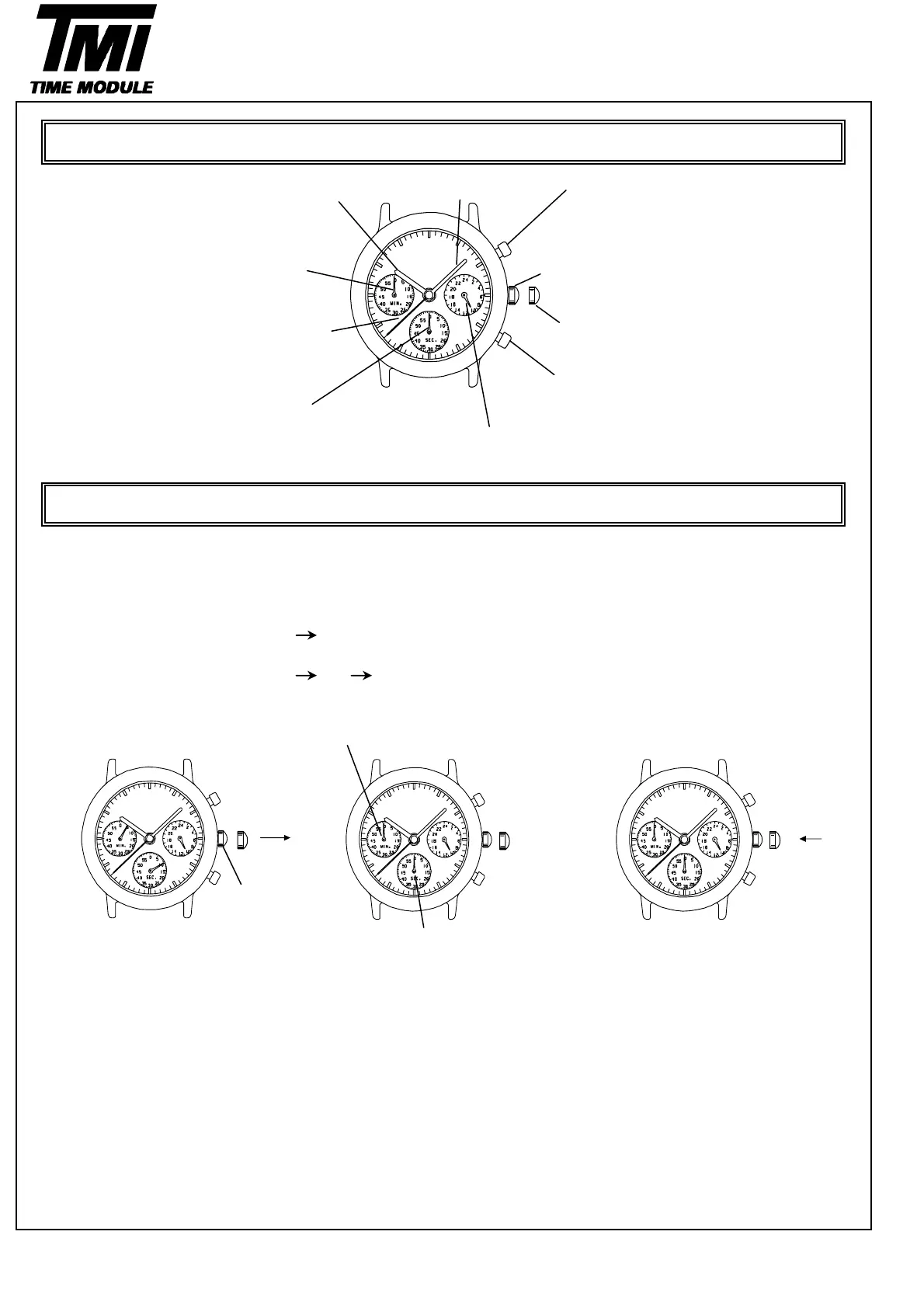
Hour hand Minute hand Button A
In stopwatch function
Start / Stop
Stopwatch minute hand Crown at normal position
(Move in minute increments)
Second hand First click ( Date setting )
Button B
In stopwatch function
Stopwatch second hand S
lit / S
lit release / Reset
(Move in second increments)
24-hour hand
(Indicates the time on a 24-Hour basis)
Before settin
the time , check if the sto
watch second and minute hands are in the "0"
12 o'clock
osition.
*if the stopwatch is in use , press the button in the following order to reset it , and then , check if the hands
return to "0" position. (For details , see "HOW TO USE THE STOPWATCH")
* If the stopwatch is counting :
* If the stopwatch is stopped :
* If the split time is displayed :
If either of the stopwatch hands are not in the "0" position , reset them following the procedure below.
Stopwatch minutes hand
Crown
Stopwatch second hand
1.Pull out the crown 2.Press button A or B to reset the 3.Push the crown back to
sto
watch second and minute the normal
osition.
hands to "0"position.
*By pressing button A the hands
move counter clockwise.
*By pressing button B the hands
move counter clockwise.
ADJUSTING THE STOPWATCH HAND POSITION
A
B
B
Version-02
D54B
OPERATION
DISPLAY AND CROWN / BUTTON OPERATION
B
BA
7
SII Products
A
B



 To Next Page