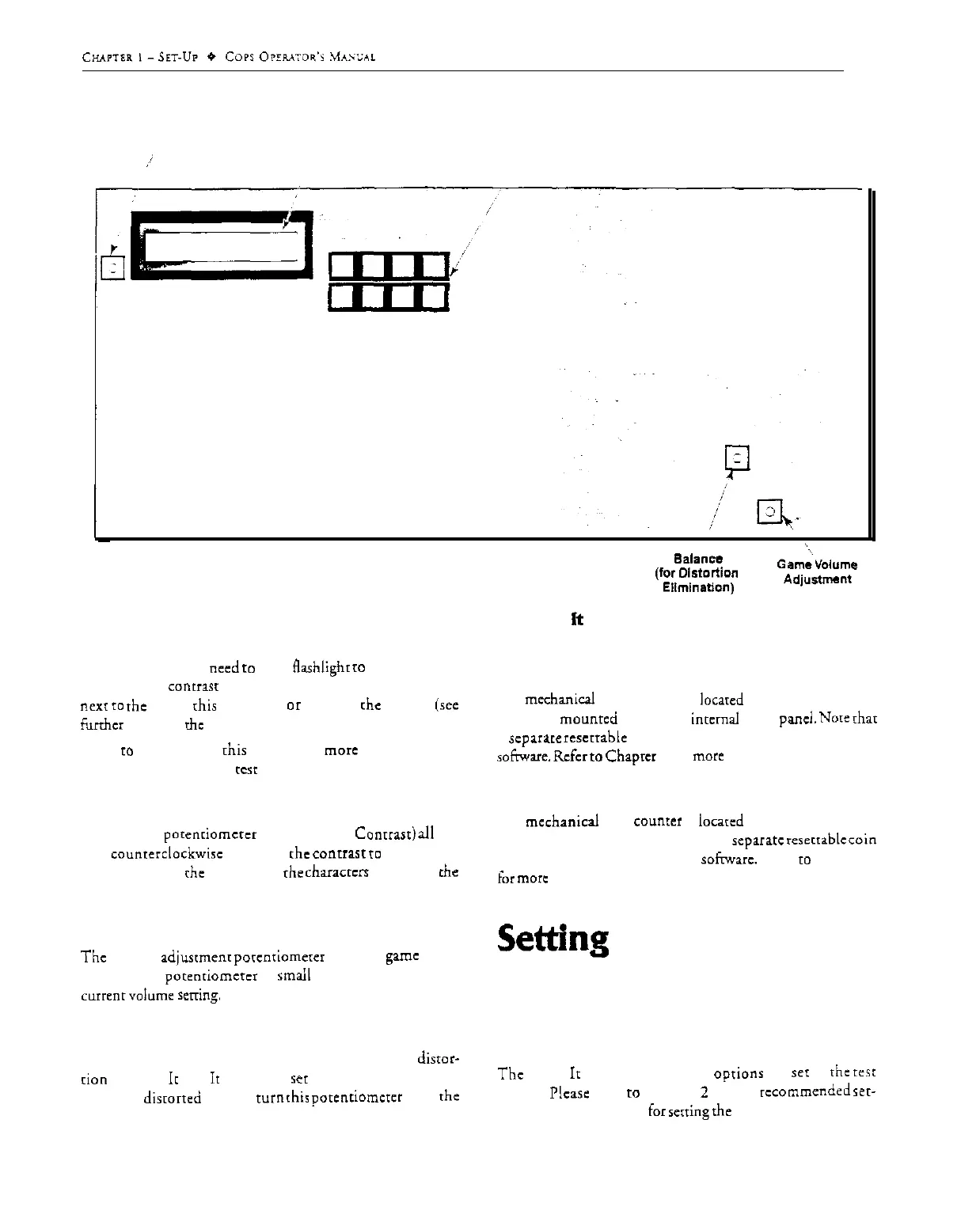
Liquid-Crystal Display
Liquid-Crystal
(LCD) Contrast Adjustment
Display
Keypad
;J
Balance
(for
Di.9tc.rtion
Ellminafion)
Figure
l-1 Operator Controls on Hoop
ft
Up Came PC6
turned on. You may
need
co
use a Aashlighr
10
read the LCD.
A small LCD
contr~r
adjustment porenriomercr is available
next
to
the LCD;
[his
brightens
or
darkens rhe display (see
furrhcr
derails in
rhc
following section).
Refer
IO
Chapter 2 of
this
manual for
more
information on
the game parameters and
KCSI
functions.
Adjust Contrast of LCD
Turning rhis
parenriomcrer
(labeled LCD
Conrrasr)
all
rhe
way
counrerclockwisc
increases rhe
conrrasr
10
maximum.
This maximizes rhc legibility of the
characrcn
shown on the
LCD.
Volume Control
The
volume
adjusrmenr
porcntiomerer
is on the game PCB.
Turning rhis
porenriomcrcr
in
smail
increments adjusts rhc
currenfvolume
sexing.
Balance
This porenriomercr is intended for eliminating sound
distor-
rion
in Hoop
Ir
Up. Ir should be
ICI
about in rhe middle. If
you hear
disrorred
round, cum
rhir
porenriomcrer
until rhe
sound improves.
Ticket Counter
The
mechanical
ticker counter is
locared
inside rhe upper coin
door. It is
mounred
against rhe inrcrnal wood
pa&.
Note
rhar
a
scparare
rescrrable
ticker counter is available in rhe game
sofnvarc.
Rcfcr
to
Chapter
2 for more derails.
Coin Counter
The
mechanical
coin
counter
is
iocarcd
below rhc coin box.
inridc the lower coin door. Again, a
xparatc
reserrablc
win
counter is available in rhc game
sofnvarc.
Refer
IO
Chapter 2
for more details.
Settins
the Coin,
Ticket and Game
Options
The
Hoop
It
Up coin and game
oprionr
arc ser in rhe
rest
modes.
Ncase
refer
IO
Chapter
2
for rhe
recommended
rer-
rings and the procedure for scrring rhe options.
1.4



 To Next Page