EasyManua.ls Logo

Time2 Oscar 2 - Live View Features; Video Quality and Signal Display; Live View Controls and Actions

Default Icon
16 pages
Print Icon
To Next Page IconTo Next Page
To Previous Page IconTo Previous Page
Loading...
Alarm
Speak
Record
Screenshot
Alarm
Speak
Record
Screenshot
Live View
5
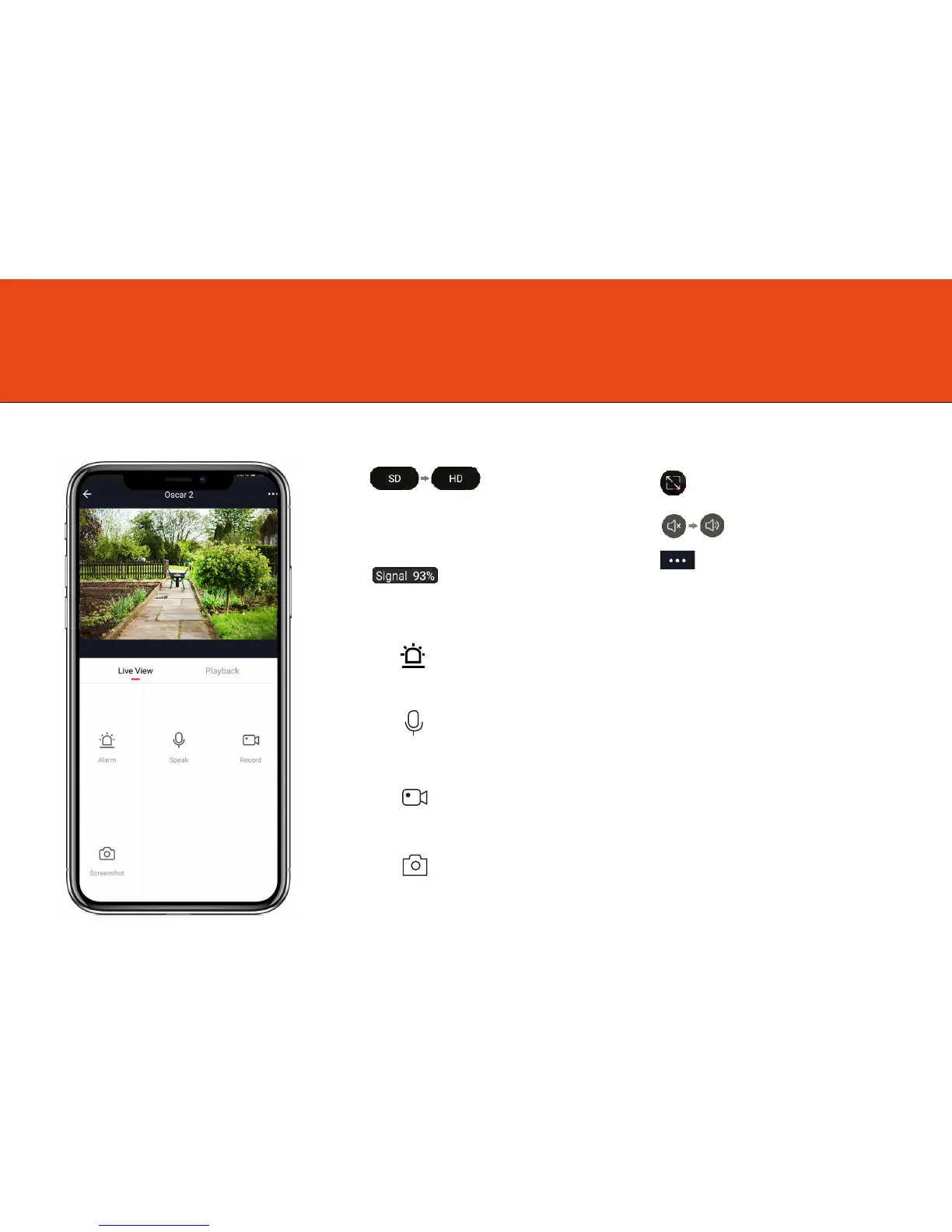
Once setup is complete, select Oscar 2 in the Clan at Home app
Change the video quality
from Standard definition
to High Definition
See Full-Screen
Turn the speaker on or off
See more Settings
See your Wi-Fi Signal Strength
Click to turn microphone on or off
Alarm
Speak
Record
Screenshot
Select to customise motion detection settings
Alarm
Speak
Record
Screenshot
Click to record video manually, this will save to your phone gallery
Click to take a snapshot manually, this will save to your phone gallery