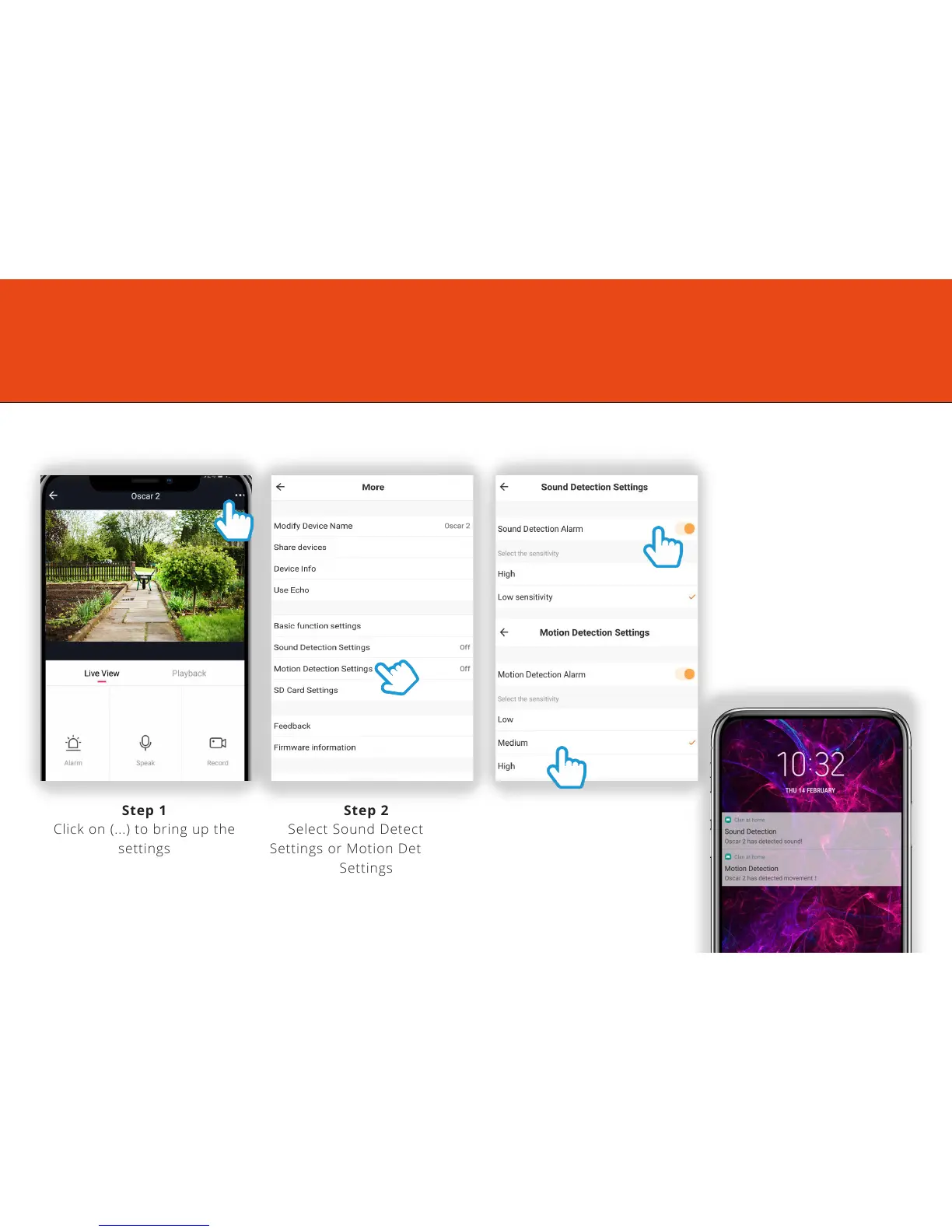
Step 1
Click on (...) to bring up the
settings
Step 2
Select Sound Detection
Settings or Motion Detection
Settings
Step 3
Turn the setting on and
choose the sensitivity
Selecting a sensitivity level
minimises false alerts
Motion and Sound Detection
7
To set up the Motion and Sound detection, follow the steps below:
When movement or sound
is detected, Oscar will
send you alerts straight
to your Smartphone
or Tablet device.
If your device is locked when
Oscar detects something,
you will receive a
notification on your home
screen as long as you are
signed in to the Clan at
Home app



 To Next Page