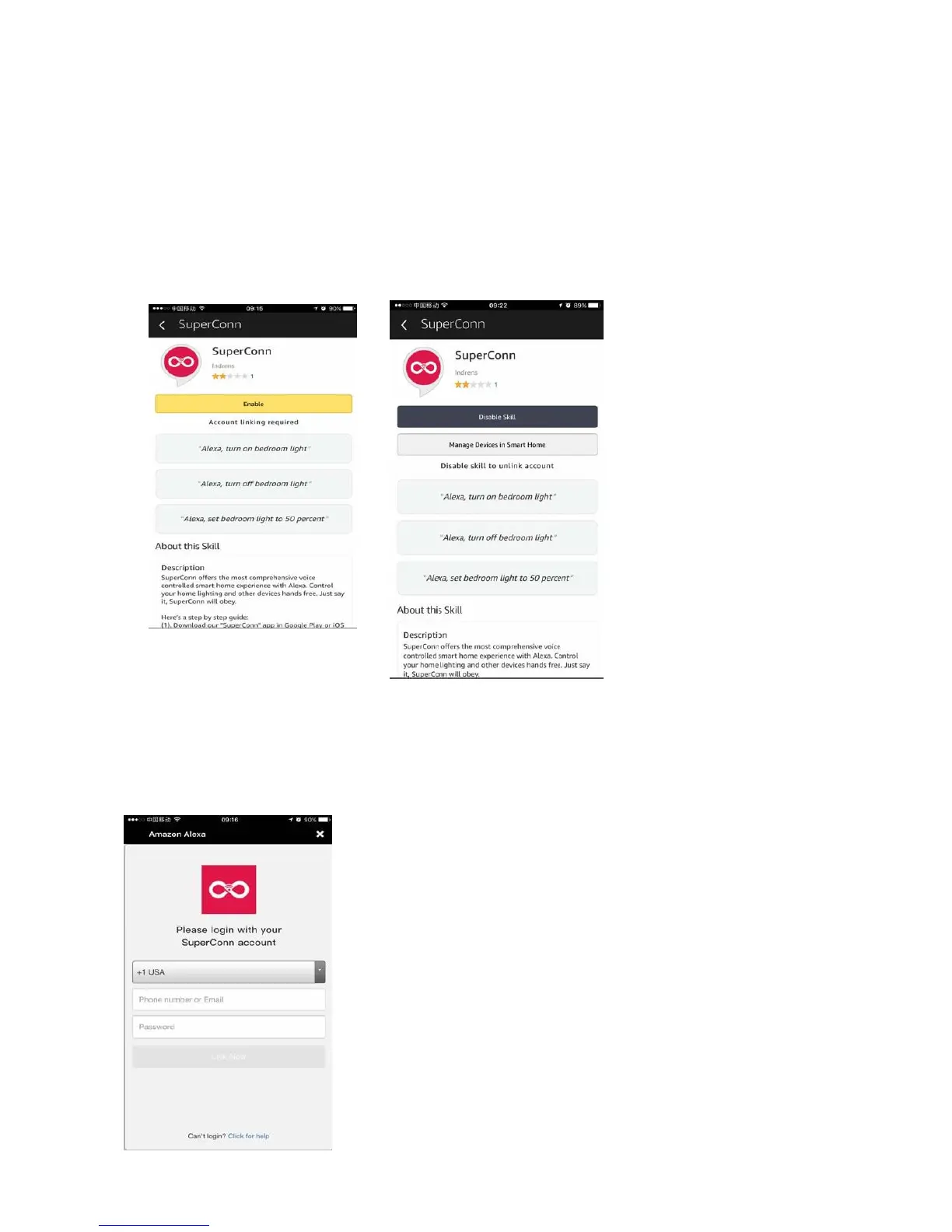
Select the SuperConn Skill in the search results, and then click “Enable” Skill.
You can click on "Disable Skill" to remove the binding, and then click on “Enable Skill" to
continue to bind a new SuperConn account.
Select your country from the drop down. Then input the user name and password that
you had previously used to register on the SuperConn App.


 To Next Page