Timers and Schedules
Your Wi-Fi Smart Socket can be scheduled to switch your appliances on/off using the
automatic timer feature.
Setting the Automatic Timer
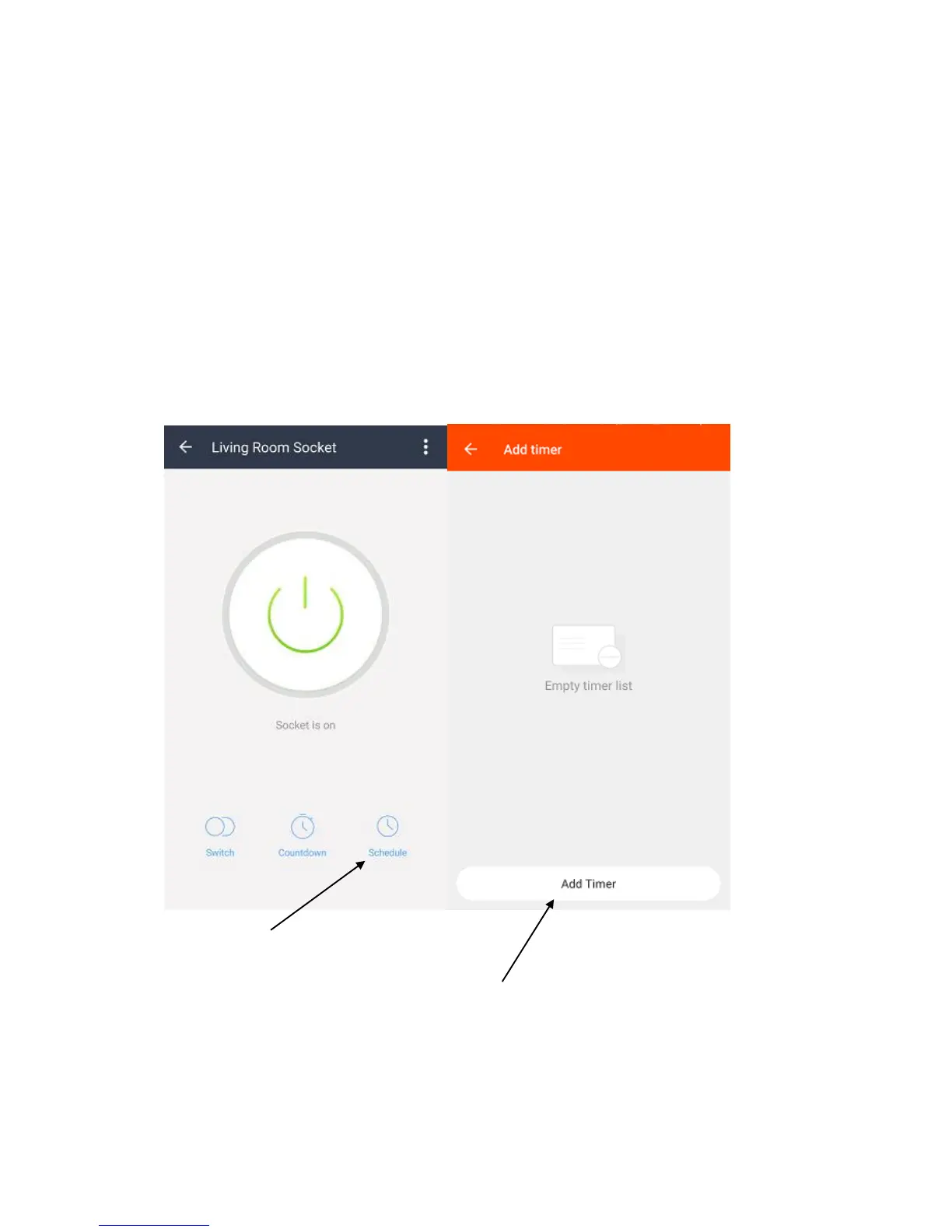
1. Open the SuperConn App, and select the Smart Socket you wish to set a timer
schedule for.
2. Select Schedule from the main screen.
3. Create a new rule by selecting Add Timer.
4. Select the time you wish to switch your Socket On/Off.


 To Next Page