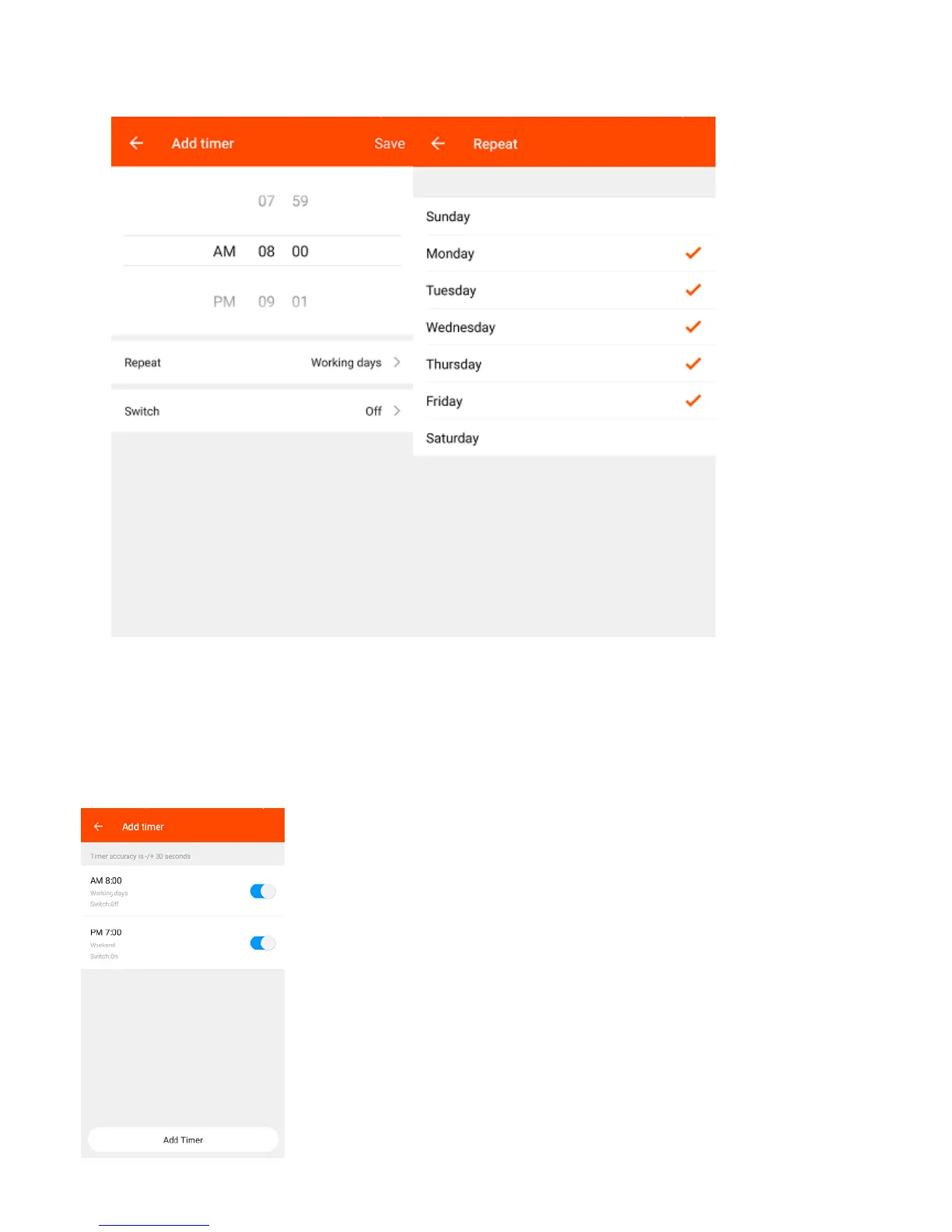
5. Repeat – Select the days which you would like this action to happen.
6. On/Off – Select whether you want the Smart Socket to switch On or Off at the
time you have selected.
7. Select Save on the top right to save this schedule.
Tip: You will need to create two separate rules to switch an
appliance On at a specified time and Off at another time.
Tip: You can set multiple schedules to switch your Smart Socket
On and Off at different times.


 To Next Page