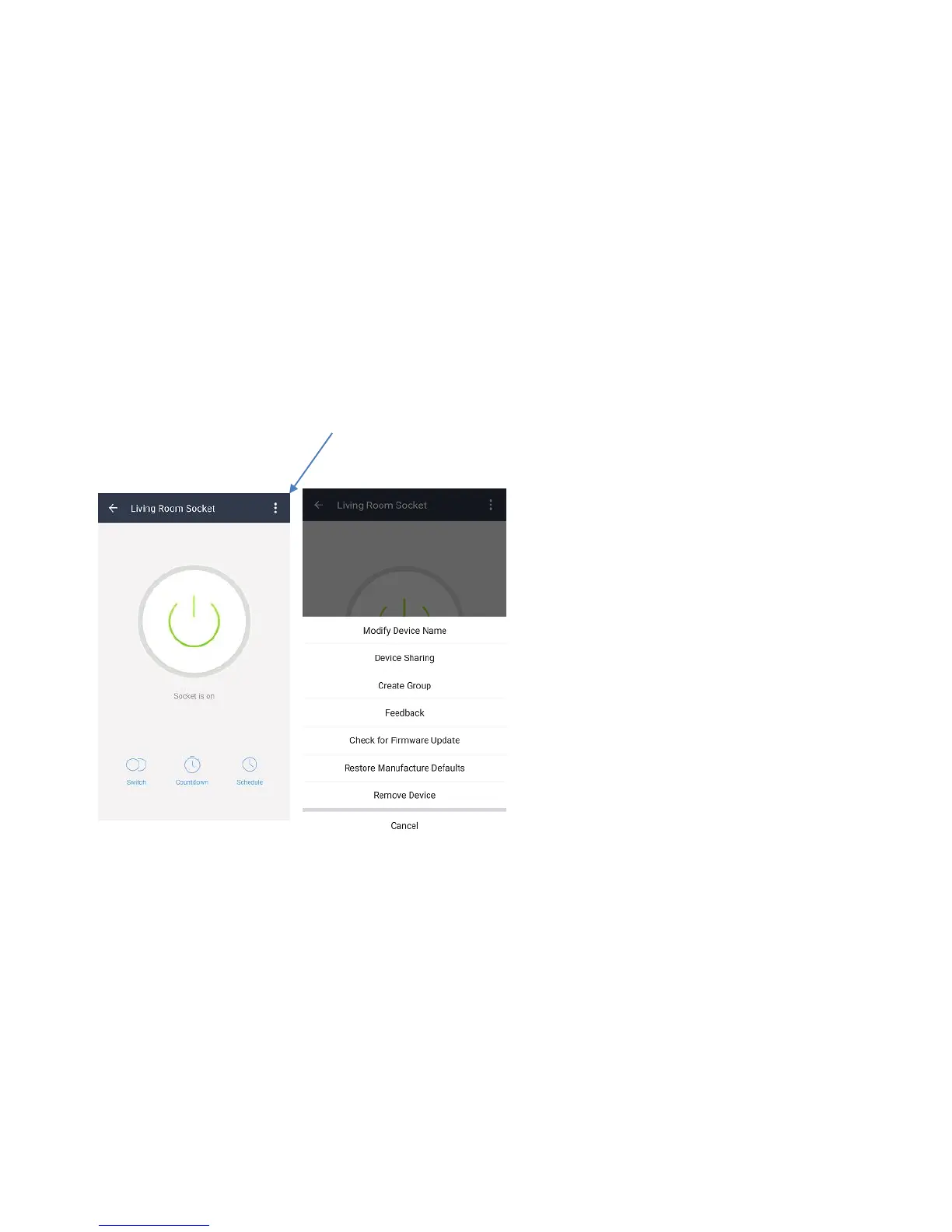
Rename your Wi-Fi Smart Socket
The Wi-Fi Smart Socket can be renamed to allow you to easily tell the difference
between the WiFi Smart Socket’s you have set up in your premises.
1. Open the SuperConn App and select the device you want to rename.
2. You will see the screen below. Select the 3 dots on the top right to access
settings.
Select Modify Device Name. Type in the new name of your device. Select
Confirm to change the name.
Tip: If using your WiFi Smart Socket with Amazon Alexa Voice Control we
would recommend naming the Smart Socket something that is easy for Alexa
to understand.


 To Next Page