6
5. INITIALIZATION
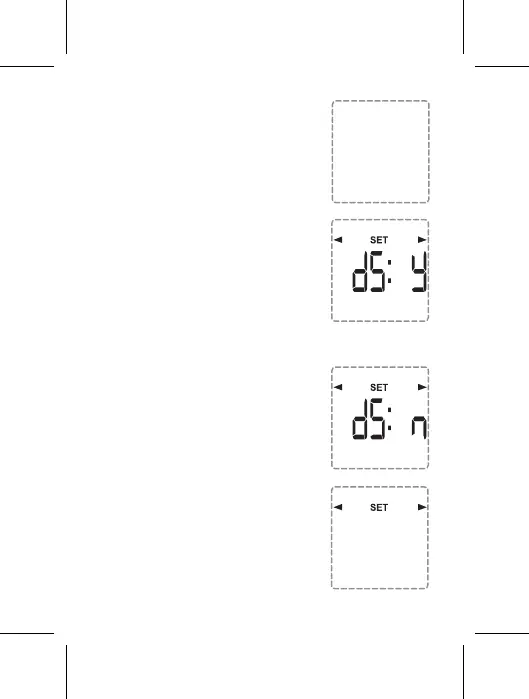
To initialize the Timer, press the reset
button inwards using a pointed tool
such as a pin until the screen is
displayed as shown in the illustration
6. DATE & TIME SETTING
To set the current time, Press and hold
the "TIME" button for 3 seconds until
the screen is displayed as shown in
the illustration Note: During the press,
HOLD will appear on the screen
6.1. DAYLIGHT SAVING TIME SETTING
To automatically change the time
according to daylight saving time,
select the ADV button if you want to
enable automatic daylight-saving time
change dS:y or disable dS:n.
When finished, press the TIME button
to proceed to the year setting.
6.2 YEAR SETTING
Select by pressing the Boost or
Adv/Ovr button the current year.
When finished, press the TIME
button to proceed to the Month
setting.
Year
20: 1 6
--:--
OFF


 To Next Page