10 11
HELPLINE
020 8450 0515
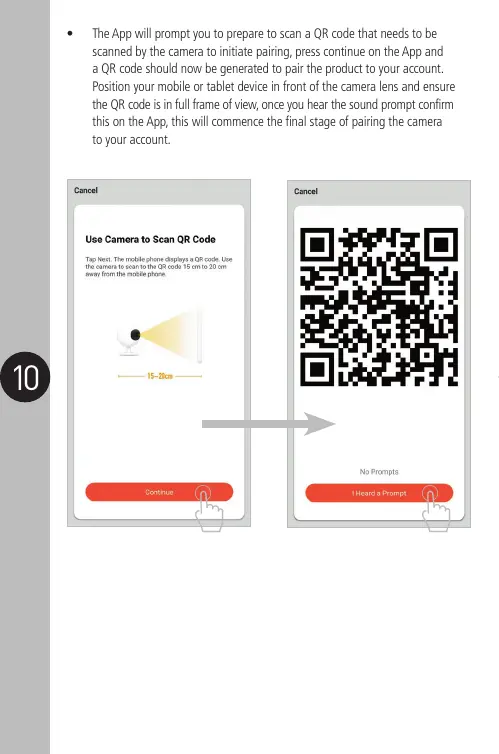
• The App will prompt you to prepare to scan a QR code that needs to be
scanned by the camera to initiate pairing, press continue on the App and
a QR code should now be generated to pair the product to your account.
Position your mobile or tablet device in front of the camera lens and ensure
the QR code is in full frame of view, once you hear the sound prompt confirm
this on the App, this will commence the final stage of pairing the camera
to your account.


 To Next Page