9
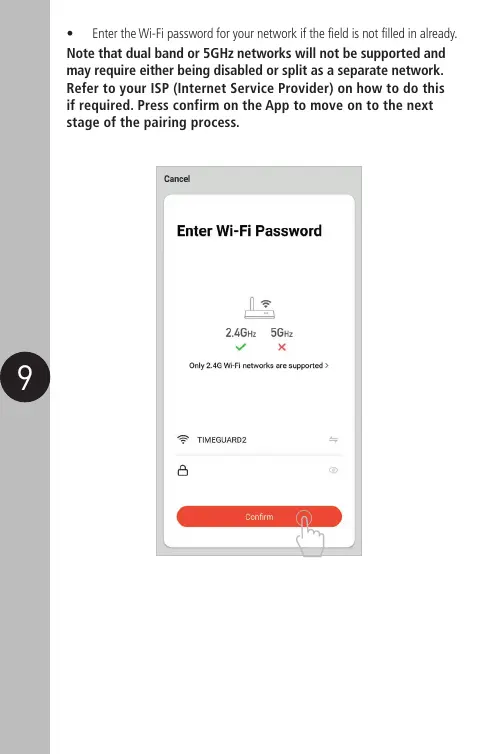
• Enter the Wi-Fi password for your network if the field is not filled in already.
Note that dual band or 5GHz networks will not be supported and
may require either being disabled or split as a separate network.
Refer to your ISP (Internet Service Provider) on how to do this
if required. Press confirm on the App to move on to the next
stage of the pairing process.


 To Next Page