6 7
6. Home Management
Note: Before adding any devices to your account, structuring your
household (or the property) may be a consideration if you plan on
using Smart devices in different rooms or locations.
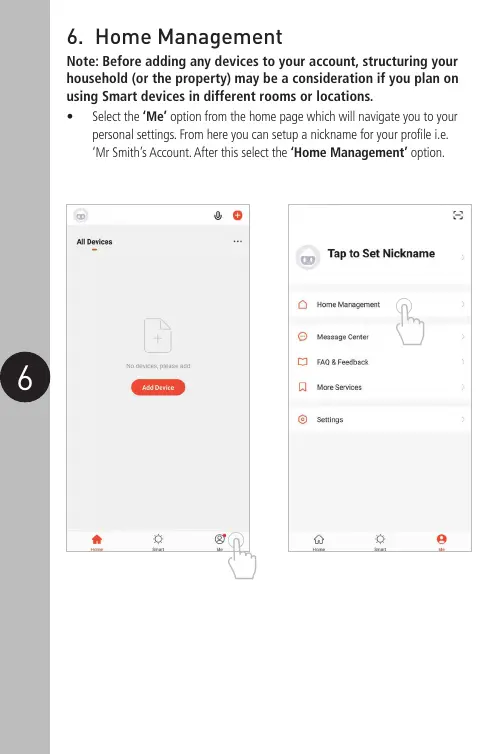
• Select the ‘Me’ option from the home page which will navigate you to your
personal settings. From here you can setup a nickname for your profile i.e.
‘Mr Smith’s Account. After this select the ‘Home Management’ option.


 To Next Page