7 8
7. Pairing your
Device(s)
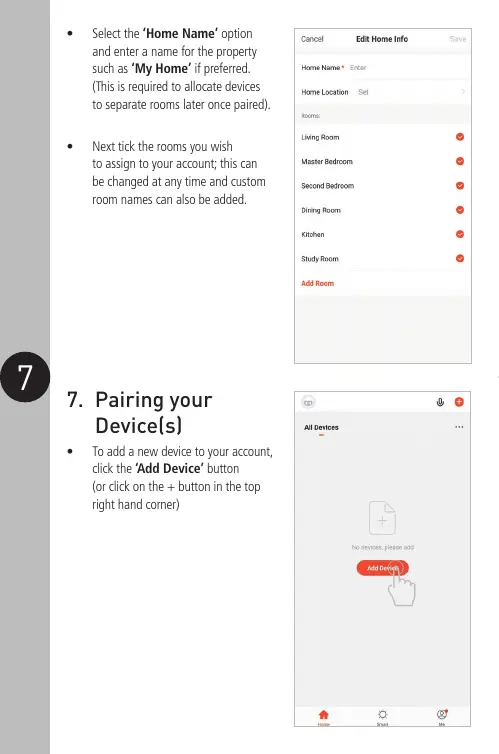
• To add a new device to your account,
click the ‘Add Device’ button
(or click on the + button in the top
right hand corner)
• Select the ‘Home Name’ option
and enter a name for the property
such as ‘My Home’ if preferred.
(This is required to allocate devices
to separate rooms later once paired).
• Next tick the rooms you wish
to assign to your account; this can
be changed at any time and custom
room names can also be added.


 To Next Page