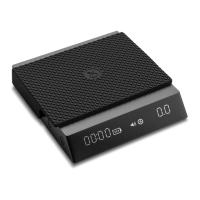
PS: The sticker on the panel when shipped marks each function and description
of each key. It can be removed after you are familiar with the operations.
Introduction to Buttons and Display Area
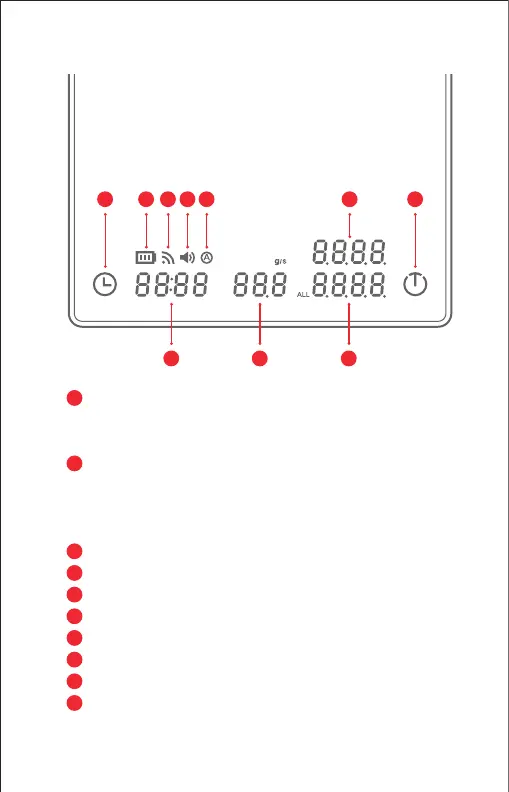
Power/Tare Button: Press to power on
Short press to tare
Long press 2 seconds to power o
Timer Button: Short press to start/pause timer
Press for 1 second to reset timer
Press for 5 seconds to turn on/o the beep
Quick press 8 times to turn on/o auto timer mode
Time: Max recording time is 59m:59s
Flow Rate: The current speed of water injection
Weight of Coee: The weight of coee after extraction
Weight of Total Water: Total water injection weight during extraction
Battery Indicator: Shows remaining power level
Connection Indicator:Shows if it is connected with Application
Sound Indicator
Auto Timer Indicator
2
3
4
5
6
7
8
9
10
1
2 7 8 9 10 5
3 4 6
1


 To Next Page