Need help?
Do you have a question about the Timex 75322 and is the answer not in the manual?
Details the indoor temperature measurement range from 32°F to 122°F.
Specifies the main unit's power source and the atomic clock frequency.
Guide on removing the battery compartment cover and installing batteries.
Explains the accuracy and signal reception of an atomic clock.
Details the initial display and automatic atomic signal search process.
Provides steps for manually setting the time and date.
Explains the purpose of the SET, +/ZONE, SIGNAL, and -/C/F buttons.
Offers solutions for poor signal reception, including unit placement.
Provides troubleshooting steps for a non-functional display, focusing on batteries.
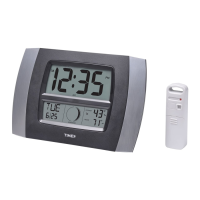
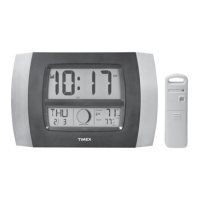
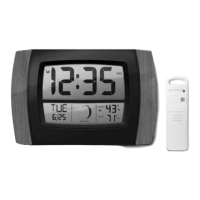
This document describes the Timex Atomic Wall Clock, a device designed to provide accurate time, date, and indoor temperature readings. The clock automatically synchronizes with the atomic time signal, ensuring precise timekeeping.
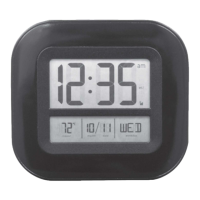
The Timex Atomic Wall Clock serves as a central timekeeping device for your home or office, offering the convenience of an atomic clock with additional features. Its primary function is to display the current time, which is automatically updated via the atomic clock signal. This ensures that the time displayed is accurate to within one second in a million years. The clock also features a calendar display, showing the month, date, and day of the week. Additionally, it provides an indoor temperature reading, allowing you to monitor the ambient temperature in your space.
The atomic clock functionality relies on receiving time codes transmitted by the WWVB radio station from an atomic clock operated by the National Institute of Standards and Technologies in Colorado. The clock has a built-in receiver that picks up this signal. For optimal reception, it is recommended to place the main unit with its back facing Colorado. The atomic clock signal is generally stronger at night due to less interference from solar radiation in the atmosphere, so most synchronizations occur during these hours.
The device also handles Daylight Saving Time (DST) changes automatically, eliminating the need for manual adjustments. Once the atomic clock signal is acquired, the clock will maintain its accuracy and automatically update for DST.
Upon initial power-up, the display will show all segments for 3 seconds, then default to 12:00 PM on January 1, 2000, with room temperature and a flashing time zone indicator, which defaults to PST (Pacific Standard Time). The clock will then begin searching for the atomic signal. If a valid signal is available, the clock will receive the local time within 3-5 minutes, and full-strength signal bars will appear on the display.
If the atomic signal is not immediately available during setup, you can manually set the time and date. To do this, if the atomic signal icon is flashing, you first press the signal search button to stop the atomic clock from searching. Then, you press and hold the SET button for 3 seconds to enter manual setup mode. In this mode, you can adjust the 12 or 24-hour format, hour, minute, year, month, date, and DST setting using the + or - buttons, confirming each selection with the SET button.
The clock features several buttons for easy operation:
The Timex Atomic Wall Clock is designed for relatively low maintenance. The primary maintenance tasks involve battery management and ensuring optimal signal reception.
The clock requires two "AA" alkaline or lithium batteries. To install them, remove the battery compartment cover on the back of the unit and insert the batteries according to the polarity (+/-) diagram. Battery safety guidelines are provided to ensure proper and safe operation:
If you experience "Bad Atomic Clock Reception" (indicated by no signal bars), the manual suggests relocating the main unit. It is crucial that the back of the clock faces the state of Colorado for optimum reception. Ensure there are no large stone or metallic surfaces disrupting the signal's line-of-sight to Colorado. Additionally, place the main unit at least 3 feet (0.91 m) away from other electronic appliances and devices (such as TVs, microwaves, computers) that might interfere with wireless communication. Large metallic surfaces are known to interfere with the atomic clock signal.
If the display is not working, first check that the batteries are installed correctly. If they are, the batteries may need replacing. A clear protective film is applied to the LCD at the factory and must be removed by peeling off the clear tab before using the product.
For technical assistance and product return information, customer care can be contacted Monday through Friday from 8:00 AM to 4:45 PM (CST). The manufacturer also provides an international limited warranty, covering material and workmanship for one year from the date of purchase. In case of a warranty repair, the product should be sent back with proof of purchase and a handling fee.
To receive product information and register your product online, you can visit the provided website.
 General
| Brand | Timex |
|---|---|
| Model | 75322 |
| Category | Clock |
| Display | Digital |
| Alarm | Yes |
| Backlight | Yes |
| Water Resistance | No |
| Snooze | Yes |
| Power Source | Battery |
| Material | Plastic |
| Type | Digital |

 To Next Page