7
P8
11
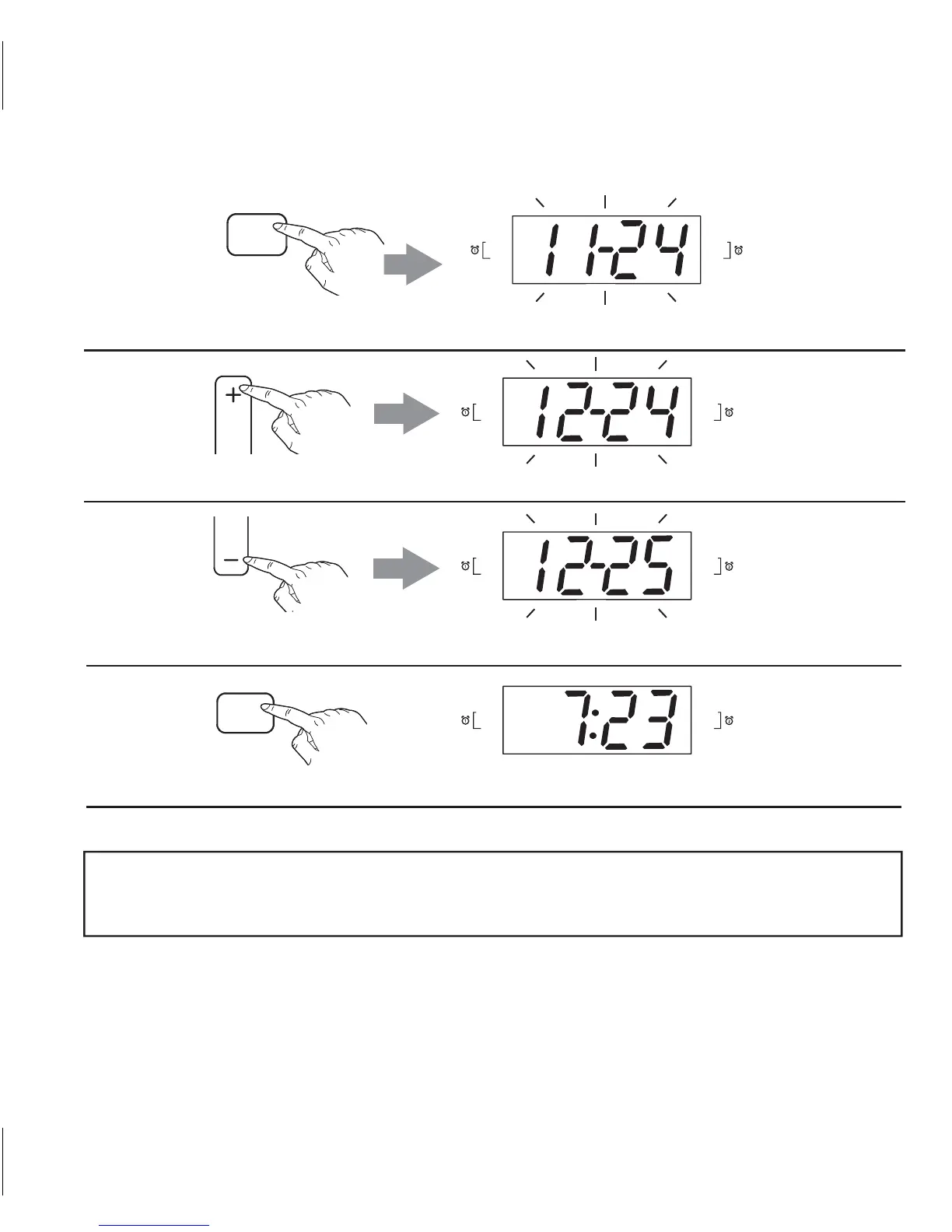
Press and release the Presets/Clock Button to complete time setting.
NOTE: To view current year and month/date, press the Mode Button when
unit is OFF.
10
CLOCK
PRESETS
Press and release the TUNE –/MINS Button to adjust the DATE.
MINS
TUNE
8
9
Press and release the Presets/Clock Button. The MONTH and DATE flash on the display.
Press and release the TUNE+/HOURS Button to adjust the MONTH.
CLOCK
PRESETS
HOURS
TUNE
PM
BUZZER
RADIO
BATT LOW
BUZZER
RADIO
PM
BUZZER
RADIO
BATT LOW
BUZZER
RADIO
PM
BUZZER
RADIO
BATT LOW
BUZZER
RADIO
PM
BUZZER
RADIO
BATT LOW
BUZZER
RADIO


 To Next Page