Need help?
Do you have a question about the Timex T309 and is the answer not in the manual?
Guide on placing the unit and connecting power.
Instructions for installing backup batteries.
How to clean and maintain the clock radio.
Step-by-step guide to setting the current time.
Steps for configuring the date and year.
Instructions for changing screen backlight settings.
Turning on, tuning, and adjusting radio volume.
Saving and selecting favorite radio stations.
Guidance on optimizing radio signal strength.
Information on the auto-recall station feature.
How to set the radio to turn off automatically.
Setting nature sounds to play for a duration.
Configuring the alarm to wake you with the radio.
Configuring the alarm to wake you with nature sounds.
Configuring the alarm to wake you with a buzzer.
How to verify and deactivate alarms.
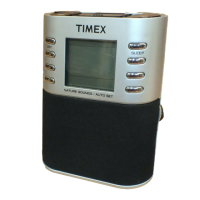
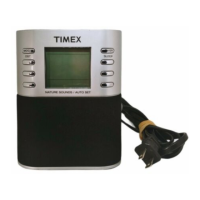
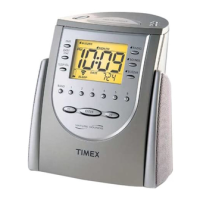
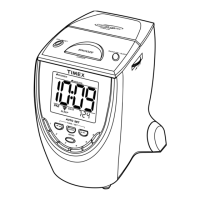
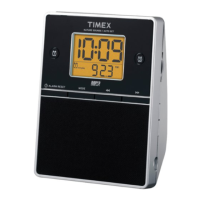
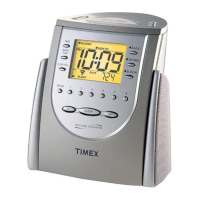
The Timex Model T309 is an alarm clock radio designed with digital tuning and a range of nature sounds, offering a comprehensive set of features for timekeeping, audio entertainment, and wake-up functions. This device is equipped with a "Sure Alarm" battery backup system, ensuring that clock and alarm settings are maintained even during AC power interruptions.
The primary functions of the Timex T309 include displaying the time and date, functioning as an AM/FM radio, and providing multiple alarm options. It features three independently operated alarms: an AM/FM radio alarm, a nature sound alarm, and a buzzer alarm. Each alarm can be configured with a 7-5-2 Advance Alarm setting, allowing for specific wake-up schedules for a full week, Monday through Friday, or the weekend. The radio component offers digital tuning and the ability to program up to 18 preset radio stations (6 for each of the two FM bands and 6 for the AM band). The nature sounds feature provides a choice of four distinct sounds: Ocean Surf, Forest Spring, Rushing Brook, and Summer Wind, which can be used for waking up or for a sleep timer function. The device also includes a sleep timer for both radio and nature sounds, allowing users to fall asleep to their preferred audio for a set duration (90, 60, 30, or 15 minutes). A snooze feature is available for alarms, providing approximately nine minutes of additional sleep before the alarm sounds again.
While specific technical specifications like power output or frequency ranges are not explicitly detailed in the provided manual excerpts, the device operates on AC power and utilizes two "AAA" batteries for its "Sure Alarm" battery backup system. Alkaline batteries are recommended for longer life. The display is an LCD with indicators for various settings such as PM, alarm types (Buzzer, Radio, Sounds), 7-5-2 alarm settings, clock/sleep timer, date/year, AM/FM radio bands, battery low status, sleep volume, radio frequency, calendar display, and nature sounds. The display backlight is adjustable with dim, medium, and bright settings.
The Timex T309 is designed for user-friendly operation with clearly labeled controls and indicators.
Controls:
Setting the Clock and Calendar: The clock is set by holding the Time Set Button, then using the Reverse/Forward Buttons to adjust the time, and finally pressing the Enter Button. The calendar is set similarly by holding the Date Set/7-5-2 Button, adjusting the year, then the month/day using the Reverse/Forward Buttons, and confirming with the Enter Button.
Radio Operation: The radio is turned on by pressing the Radio On/Sleep Button. Users can select bands (FM1, FM2, AM) with the Radio Band Button and tune to stations using the Tuning Buttons or preset Memory Set Buttons. Volume is adjusted via the Volume Thumbwheel. The radio remembers the last station played.
Sleep Timer: Both radio and nature sounds can be set to play for a specified duration (90, 60, 30, or 15 minutes) before automatically turning off. Sleep volume can be adjusted independently.
Alarm Settings: Three distinct alarms (radio, nature sounds, buzzer) can be set by holding their respective alarm buttons, adjusting the time with the Tuning Buttons, and selecting the desired sound or station. The 7-5-2 Advance Alarm setting allows for flexible scheduling. Alarm volume for radio and nature sounds can be adjusted.
Snooze: Pressing the Snooze/Dimmer Bar when an alarm sounds provides a temporary nine-minute pause.
Display Backlight: The Snooze/Dimmer Bar also cycles through dim, medium, and bright backlight settings for the LCD.
 General
| Brand | Timex |
|---|---|
| Model | T309 |
| Category | Clock Radio |
| Language | English |

 To Next Page