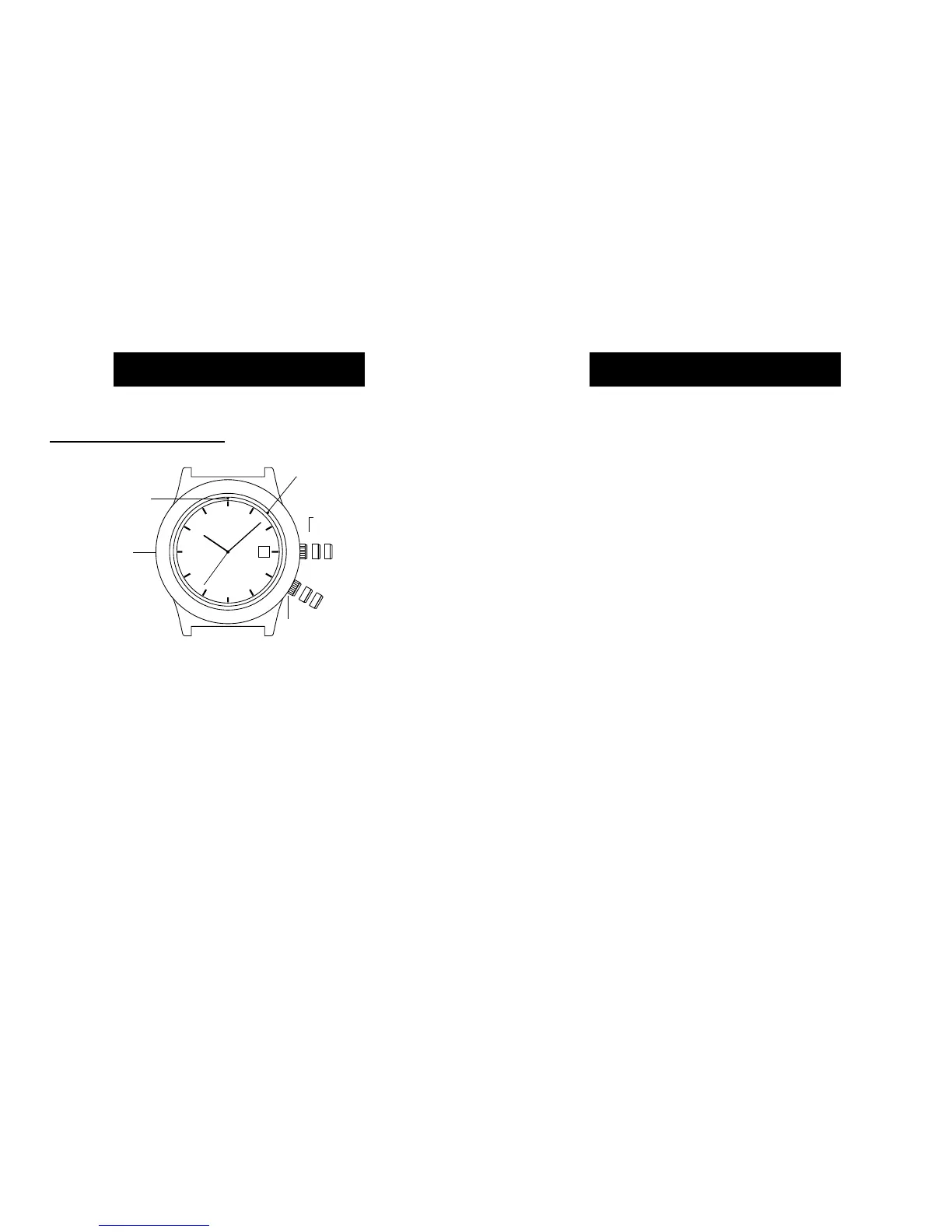
EASY SET ALARM DATE & TIME SETTINGS
TO SET THE DATE:
1) With the TIMEKEEPING CROWN in the “B” position
TURN the TIMEKEEPING CROWN or TURNING RING
in either direction to set the date.
TO SET THE TIME:
1) With the TIMEKEEPING CROWN in the “C” position
TURN the TIMEKEEPING CROWN or TURNING RING
in either direction to set the time.
EASY SET ALARM SETTINGS
1) Your easy set alarm watch is equipped with two
types of alarms:
2) 12-Hour Alarm: rings OR vibrates twice per day at
the desired hour and minute as long as the alarm
is activated. (Alarm crown must be in “E” position.)
3) Hourly Alarm: rings OR vibrates every hour at the
desired minute if activated. (Alarm crown must be
in “F” position.)
9
ENGLISH
EASY SET ALARM
EASY SET ALARM
WITH DATE & INDIGLO® NIGHT-LIGHT
1) From the “A” position, PUSH the TIMEKEEPING
CROWN in (towards the watch case) to activate
the INDIGLO® Night-Light and illuminate the
watch dial.
8
ENGLISH


 To Next Page