29
Date of Origin – 02/01/08
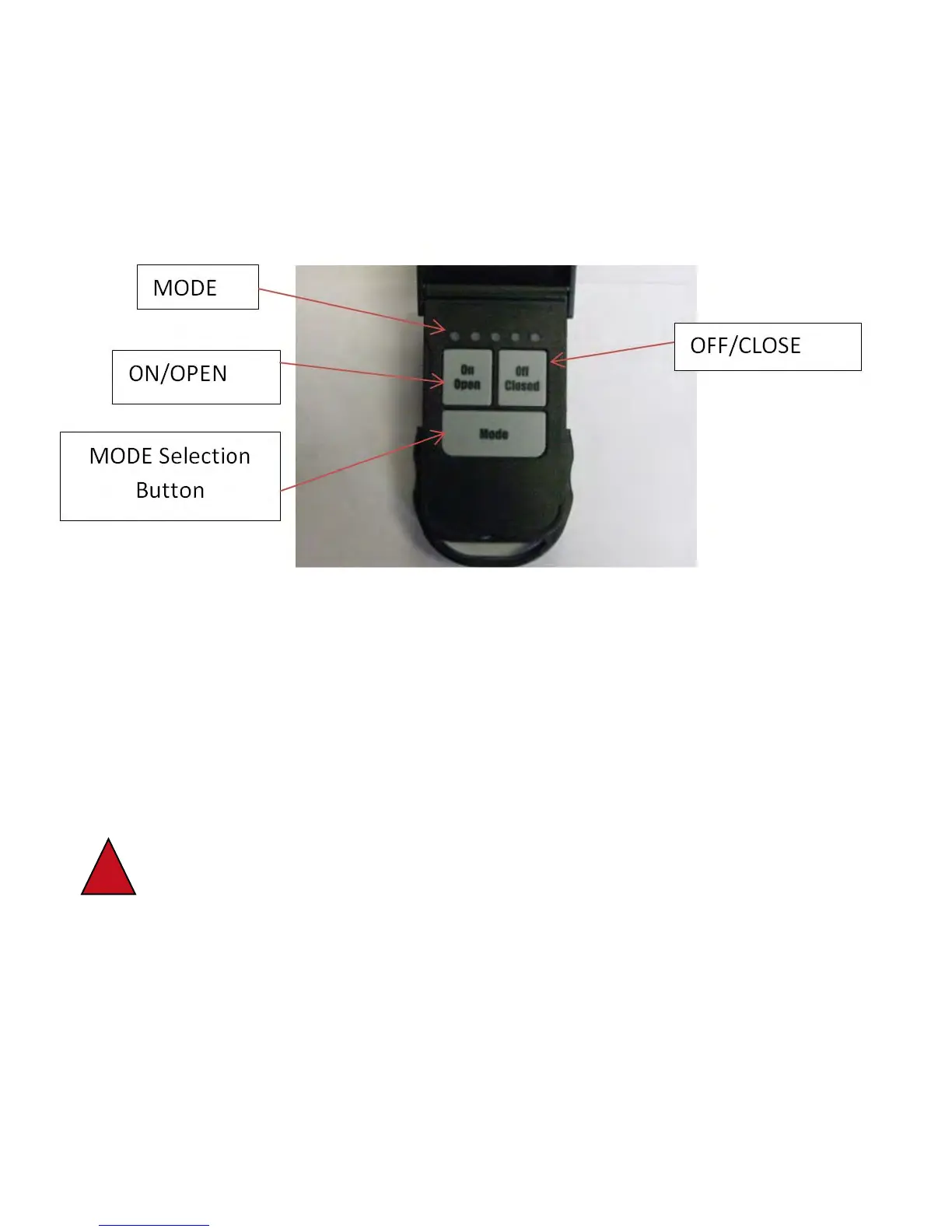
SETTING FUNCTIONS ON REMOTE
Setting function allows functions to be blocked if not required /not going to be used.
1. Open transmitter. Observe flashing light.
2. Press and hold “MODE” button for 10 - 12 seconds until the top light stays lit.
3. Press the “ON/OPEN” button if this function will be used. Select and press the “OFF/CLOSE”
button if you want this function to be skipped.
4. Repeat Step 3 for all five functions.
a. 1 LIGHT - TARP SYSTEM
b. 2 LIGHTS - FRONT HOPPER
c. 3 LIGHTS - REAR HOPPER
d. 4 LIGHTS - AUXILIARY
e. 5 LIGHTS - AUXILARY
5. When the last function has been selected, the light on the first mode function will stay lit for
approximately 3 seconds to indicate active and return to flashing when process is complete.
!
WARNING! Make sure all power supply to trailer is disconnected and the ground
wire in the nose of the trailer and on the receiver box is disconnected prior to any
welding on trailer. Failure to do so could result in damage to receiver control box!!


 To Next Page